File metadata: what it is, what it reveals, and why it is not enough as evidence
The dates, devices and locations hidden in photos, PDFs, videos and emails, how easily they change, and what insurers, lawyers and courts can actually rely on.
Updated on
File metadata is the information a file carries about itself: who created it, when, with which device or program, and sometimes where. It is a useful clue, but anyone who holds the file can rewrite it, and platforms often strip it: in a 2016 IPTC test, 10 of 15 social sites removed at least part of a photo’s metadata. TrueScreen certifies photos at the moment of capture, and existing files from the moment you upload them, with an official digital seal and a qualified timestamp, recognized internationally, so their date no longer depends on what the file says about itself.
Key takeaways
- Metadata is data about data: it describes a file without being part of its content (NISO, Understanding Metadata).
- File dates can be changed without touching the content: the Windows SetFileTime function does exactly that (Microsoft Learn, File Times).
- Platforms strip metadata: in a 2016 test, 10 of 15 social sites removed at least part of a photo’s metadata (IPTC).
- Copying a file turns its creation time into the time of the copy (NIST SP 800-86, section 4.2.3).
- Under eIDAS Article 41(2), a qualified timestamp is presumed accurate as to date and time; no date written in a file’s metadata gets that presumption.
36%
of US consumers would consider digitally altering a claim photo or document
Verisk survey, Claims Journal, 2026
An insurance adjuster opens the properties of a photo showing a flooded basement and checks the date it was taken. A lawyer receives a signed contract as a PDF and points to its “creation date” as proof of when the deal was closed. Both are reading file metadata, and both are asking it to do a job it wasn’t built for.
Most of the time file metadata is accurate. The trouble starts when a date or a location is disputed: a free editor can change it in a few clicks, a messaging app can strip it, and copying a file can reset its dates. So what does metadata really tell you, and when do you need something stronger?
The short answer: metadata is the file’s own account of its history, a clue rather than proof, because whoever has the file can rewrite it. TrueScreen’s forensic methodology works the other way around: it captures content at the source and seals it, so date and origin no longer rest on the file’s word.
What is metadata? A simple definition of file metadata
Metadata is data about data: information that describes a resource without being part of its content. That is the definition used in the NISO primer Understanding Metadata. Think of a letter: the text inside is the content, while the postmark, the sender’s address and the stamp on the envelope are metadata. TrueScreen takes the time, position and device data of a capture directly from the device at the moment of acquisition and seals them, instead of trusting what a file declares.
Metadata tells you what a file says about itself, which is useful context but not a record of what actually happened.
File metadata exists to help people find, sort, manage and preserve their documents and media: the Dublin Core set of 15 elements, published as ISO 15836:2009, covers fields like creator, date and subject.
Descriptive, structural and administrative metadata
NISO sorts the types of metadata into broad families. Descriptive metadata helps you find and identify a resource: title, author, keywords. Structural metadata explains how the parts fit together, such as the pages of a PDF. Administrative metadata supports management and includes technical data (file type, resolution), preservation data (checksums and hash values) and rights information.
Data vs. metadata: what’s the difference
Data is the content of a file: the words of a contract, the pixels of a photo, the sound of a recording. Metadata is the label attached to that content. Change the data and you change the file; change the metadata and you only change what the file claims about itself, with no visible sign in the content.
Where file metadata lives: inside the file and in the file system
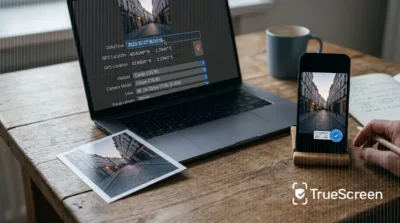
Some metadata is written inside the file: EXIF fields in photos (camera, settings, capture time, GPS) plus XMP and IPTC blocks for captions, creators and rights; the information dictionary and XMP in PDFs; document properties in Office files; headers in emails. The rest sits in the file system, which records when a copy was created, last modified and last accessed on that disk. Even those are patchy: Microsoft’s documentation on file times notes that “not all file systems can record creation and last access times”.
What file metadata reveals, file type by file type
What file metadata can tell you depends on the format: photos carry the richest set, while documents, videos and emails record less, and the file system adds its own dates. Photo metadata follows published standards: Exif 3.1 was released by CIPA on January 30, 2026, XMP has been an ISO standard (16684-1) since 2012, and IPTC describes its Photo Metadata Standard as “the most widely used standard to describe photos”. Before sealing, TrueScreen checks the metadata of the content it acquires and where that metadata comes from, along with the device, the environment and the content itself.
Each format reveals something different, and in every format the most telling fields are also among the easiest to change.
| File type | Where the metadata lives | What it can reveal | How easy it is to change |
|---|---|---|---|
| Photos (JPEG, HEIC) | EXIF, XMP and IPTC inside the file | Capture date and time, device model, settings, GPS coordinates, author, caption | Very easy: free editors and many photo apps rewrite any field |
| PDF and Office documents | PDF information dictionary and XMP; Office properties | Author, creating program, creation and modification dates, title | Easy: the fields are optional and editable |
| Video and audio | Container metadata (MP4, MOV) | Recording date, device, duration, codec, sometimes GPS | Easy with free tools, and often rewritten by re-encoding |
| Message headers | Sender, recipients, date, subject, Message-ID, “Received” lines from each server | Sender fields can say anything; a saved message file can be edited | |
| Any file on disk | File system | Created, modified and last accessed times | Easy: they change on copy and through standard system functions |
File metadata also reveals things people never meant to share. A phone photo taken with location services on can embed the GPS coordinates of your home, and a PDF can carry the name of the employee who drafted it. Many people strip it before posting files online, so missing fields say little about tampering. For photos specifically, see how EXIF metadata fares when a photo’s date is challenged in court.
Why metadata alone is not enough as evidence
File metadata is written by software and can be rewritten by anyone who holds the file, usually without touching a single pixel or word. Platforms strip it, copies reset its dates, and its absence proves nothing either way. In IPTC’s 2019 test of 16 platforms, several removed photo metadata entirely. TrueScreen tackles the problem at the moment of capture, recording the context from the device and sealing it so that any later change is detectable.
Metadata is a statement a file makes about itself, and statements can be edited.
Metadata can be changed in a few clicks
File metadata can be rewritten without altering the content. Microsoft’s developer documentation says the SetFileTime function “lets you modify creation, last access, and last write times without changing the content of the file”. ExifTool, a free utility, is built for “reading, writing and editing meta information” in EXIF, IPTC, XMP and PDF files. The PDF specification (ISO 32000-1) lists CreationDate and ModDate as optional entries. See how people change a photo’s date, location and camera and how to edit PDF and MP4 metadata, and which traces remain.
Social media and messaging apps strip or rewrite it
Many apps recompress images and drop or rewrite image metadata along the way. In IPTC’s 2016 test, 10 of 15 social sites removed at least part of it, and only Behance kept and displayed it. The 2019 follow-up found that Pexels, Pixabay, Unsplash and Twitter stripped metadata and Facebook deleted all XMP data, keeping a few rights fields. An academic study of 13 social networks (Bertini et al., 2020) found that Twitter deleted everything, while Instagram, Telegram and WhatsApp kept only part. What survives depends on the app, its version and how the file is sent.
Copying and moving a file changes its file system dates
File system dates describe a copy, not the content. NIST’s forensic guide SP 800-86 explains that when a file is copied, “the creation time will become the time the file was copied”, while the modification time stays intact, and warns that “an attacker may have altered the recorded file times.” The “created” date of an attachment on your laptop is often just the day you downloaded it.
A file of unknown origin gives you a clue, not a defensible result
Reading metadata on a file whose history you don’t know tells you what the file declares, not what happened. Metadata that is there may have been planted; metadata that is missing is missing information, not proof of tampering. Analyze a file of unknown origin and you get an opinion; analyze a file sealed at acquisition and you get a result you can defend. The difference is the integrity of the input, not the cleverness of the analysis. That is the idea behind digital provenance: a file’s history is recorded as it happens, not reconstructed afterward.
Metadata as evidence: what the law says and what happens in real cases
A court rarely excludes a file because of its metadata, or the lack of it; it weighs that metadata alongside the rest of the evidence. File metadata on its own offers limited support once the other side disputes it. EU law grants specific presumptions to qualified timestamps (Article 41 of the eIDAS Regulation) and qualified electronic seals (Article 35), not to dates a file writes about itself.
The law gives weight to dates and origins attested by a qualified timestamp or seal, not to dates a file records about itself.
The legal framework: eIDAS and international forensic standards
Under the eIDAS Regulation (EU) No 910/2014, Article 41(2) gives a qualified electronic timestamp a presumption of “the accuracy of the date and the time it indicates and the integrity of the data to which the date and time are bound”. Article 35(2) gives a qualified electronic seal a presumption of integrity and correct origin of the data. No such presumption covers file metadata such as an EXIF date or a PDF CreationDate. On the forensic side, ISO/IEC 27037:2012 sets guidelines for the identification, collection, acquisition and preservation of digital evidence, putting the focus on how a file is collected.
The damage photo with a disputed date
A homeowner files a claim with photos of storm damage, and the insurer suspects the pictures predate the policy. The EXIF date backs the homeowner, but the adjuster knows it can be edited, and there is nothing else to offer. The suspicion isn’t far-fetched: in a Verisk survey reported by Claims Journal in March 2026, 36% of US consumers said they would consider digitally altering a claim photo or document (55% among Gen Z), and 98% of insurance professionals said AI is driving up fraud. In that climate an EXIF date opens a discussion instead of ending it. With TrueScreen, the date of a photo does not depend on EXIF: it is the time recorded and sealed during acquisition.
The PDF whose creation date is offered as proof of signing
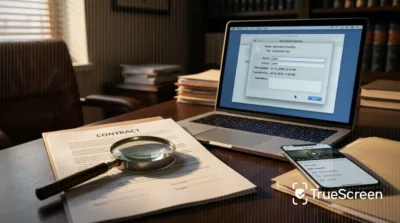
A PDF’s CreationDate records when a program generated that file, for example when it was exported, scanned or saved again. It says nothing about when the parties signed. A contract signed in March can show a June creation date because someone re-saved it, and a backdated file can show any date, since ISO 32000-1 treats the field as optional and editable. If the date matters, it has to be fixed by something outside the file, such as a qualified timestamp. Our guide shows how to prove a file existed on a certain date.
How do you make a file verifiable from the moment it is created?
TrueScreen makes a file verifiable by acquiring it at the source: it records time, position, network and device data at the moment of capture, verifies them, and closes the package with an official digital seal and a qualified timestamp, recognized internationally.
The answer to unreliable metadata comes at capture: record the context at the source, then seal it.
Acquisition at the source: checks before the seal and timestamp
The forensic methodology moves through acquisition, data verification, a technical report and certification. Before sealing, it checks the environment and the device, the metadata and its sources, the captured content and the integrity of the package. In the TrueScreen App, the clock is synced with a time server, a simulated location is rejected, capture is blocked while a cable is connected, and jailbroken iPhones are detected. This is what separates TrueScreen, the Data Authenticity Platform, from a file metadata viewer: alteration is prevented during acquisition, and any change after certification is detectable. There is a limit: the methodology certifies how content was captured, not what it shows. A staged scene stays a staged scene, recorded authentically, and the weight of the evidence is for the court to assess.
Now picture the same storm claim with photos taken in the TrueScreen App during the adjuster’s site visit, with time, position and device sealed into each shot. If the date is disputed, it no longer rests on EXIF: it is the time recorded and sealed during acquisition, and the weight of the evidence remains for the court to assess. The guide on how to certify a photo shows each step.
Existing files: a reliable date from today, metadata read as a clue
For a file that already exists, certification fixes a reliable date and makes any later change detectable from that moment on, but it does not prove where the file came from. This is digital notarization: seal and timestamp go on the file, or only on its hash if the file can’t leave your perimeter. A photo already on your phone gets its date from the timestamp at import, not from EXIF: it is certified from the moment of import, not from the moment it was taken, because an import is not a forensic acquisition. You can certify an existing file from a computer with the Portal or from your phone with the App. For images and videos on web pages, the Media Inspector in the Forensic Browser shows technical data, the SHA-256 fingerprint and embedded EXIF, XMP and IPTC metadata. It reads what the media declares, so missing markers mean missing information, never proof of tampering, and the result is a clue for an expert, not a verdict.
-
Don’t rely on file properties
Treat the dates, authors and locations in a file’s properties as claims to check. Note where the file came from and who handed it over.
-
Keep the original away from apps that recompress it
Store the file as you received it and don’t pass it through chat apps or social platforms, which can strip or rewrite metadata. Work on copies.
-
Certify at the source what you capture from now on
If a photo, video or recording might end up in a dispute, capture it with a method that seals time, position and device at the moment of acquisition.
-
For existing files, fix the date and document where they came from
Certify files you already have as soon as possible, so they get a reliable date from that moment, and record how they reached you: sender, channel and date of receipt.
Conclusion
File metadata is worth reading: it tells you which device, program and moment a file claims for itself, and it often points an investigation in the right direction. What it can’t do on its own is settle a dispute, because anyone holding the file can edit it, platforms strip it and copies reset its dates. When a date or an origin really matters, it has to come from outside the file: from content captured and sealed at the source, or, for files that already exist, from a qualified timestamp that fixes their integrity from that moment on.
FAQ: file metadata
What is the difference between data and metadata?
Data is the content of a file, such as the words of a document or the pixels of a photo. Metadata is information about that content: author, dates, device, location. The NISO primer on metadata defines it as “data about data”. Changing the data changes the file; changing the metadata only changes what the file says about itself.
How can I find the metadata of a file?
To see file metadata on Windows, right-click the file, choose Properties and open the Details tab. On a Mac, use Get Info in the Finder, or the Inspector in Preview for photos. ExifTool reads EXIF, IPTC, XMP and PDF metadata from the command line. Reading metadata is easy; deciding whether to trust it is another matter.
What is an example of metadata?
A phone photo is the classic example. Alongside the image, it stores EXIF data such as the capture date and time, the phone model, camera settings and, if location services are on, GPS coordinates. Exif is maintained by CIPA and JEITA, and the latest version, Exif 3.1, was published on January 30, 2026.
Can metadata be changed, and can you tell if a PDF was edited?
Yes. Free tools rewrite photo and document metadata in seconds, and the PDF specification, ISO 32000-1, lists CreationDate and ModDate as optional fields. A ModDate later than the CreationDate hints at an edit, but both can be rewritten, so the dates alone settle nothing. To show a PDF hasn’t changed since a given moment, it has to be certified with a seal and a qualified timestamp, which makes any later change detectable from that moment.
How do you prove when a file was created?
You need a date that comes from outside the file. Under Article 41(2) of the eIDAS Regulation, a qualified timestamp is presumed accurate as to date and time, and the data it covers is presumed intact. TrueScreen captures photos and videos with date and context sealed at the source, and certifies existing files, including documents, with an official digital seal and a qualified timestamp from that moment on.
Sources and verification
Every figure and principle cited here links to its source, listed with type and date. Links checked on the publication date.
| Source | Type | Date | What it supports |
|---|---|---|---|
| NISO, Understanding Metadata (J. Riley) | Document | 2017 | Definition of metadata as data about data and its main types |
| Dublin Core Metadata Element Set (ISO 15836:2009) | Standard | 2009 | Example of a metadata standard with 15 elements |
| Microsoft Learn, File Times | Document | 2025 | SetFileTime changes file dates without changing content; not all file systems record creation times |
| CIPA DC-008, Exif 3.1 | Standard | 30/01/2026 | Current version of the Exif standard for photo metadata |
| Adobe XMP (ISO 16684-1) | Standard | 2012 | XMP as an ISO standard since 2012 |
| IPTC Photo Metadata Standard | Standard | 2025 | Most widely used standard to describe photos |
| IPTC, social media sites and photo metadata test | Survey | 19/01/2016 | 10 of 15 social sites removed at least part of photo metadata |
| IPTC, social media sites photo metadata test results 2019 | Survey | 2019 | Platforms that strip or rewrite photo metadata, Facebook removes XMP |
| Bertini et al., social network image metadata study | Survey | 2020 | Twitter deletes all metadata; Instagram, Telegram and WhatsApp keep only part |
| ExifTool (Phil Harvey) | Document | 2026 | Free utility for reading, writing and editing EXIF, IPTC, XMP and PDF metadata |
| ISO 32000-1:2008 (PDF 1.7) | Standard | 2008 | CreationDate and ModDate are optional entries in the document information dictionary |
| NIST SP 800-86 | Standard | 2006 | Copying a file changes its creation time; recorded file times may have been altered |
| Regulation (EU) No 910/2014 (eIDAS), Article 41 | Law | 23/07/2014 | Presumption of accuracy of date and time and integrity for qualified electronic timestamps |
| Regulation (EU) No 910/2014 (eIDAS), Article 35 | Law | 23/07/2014 | Presumption of integrity and correct origin for qualified electronic seals |
| ISO/IEC 27037:2012 | Standard | 15/10/2012 | Guidelines for identification, collection, acquisition and preservation of digital evidence |
| Verisk consumer and claims professional survey (Claims Journal) | Survey | 17/03/2026 | 36% of US consumers would consider altering a claim photo or document; 98% of insurers see AI increasing fraud |
Give your photos and files a date that doesn’t depend on metadata
See how to certify a photo at the moment you take it, and how to certify an existing file with an official digital seal and a qualified timestamp, recognized internationally.


TrueScreen editorial team
This section is edited by the TrueScreen editorial team, which brings together expertise in digital forensics, the law of digital evidence and regulatory compliance. Every article is checked against primary sources: legislation, published rulings, technical standards and official documentation, always cited in the text.


