TrueScreen Browser Extension
Certify web pages directly from your Chrome or Edge browser
Capture a web page as a screenshot, or record your browsing as a video, and get certified evidence with an official digital seal and a qualified timestamp, recognised internationally.
Web evidence you can trust
More than a screenshot: a forensic acquisition that records the state of the web page, with cryptographic fingerprints that make any later change detectable.
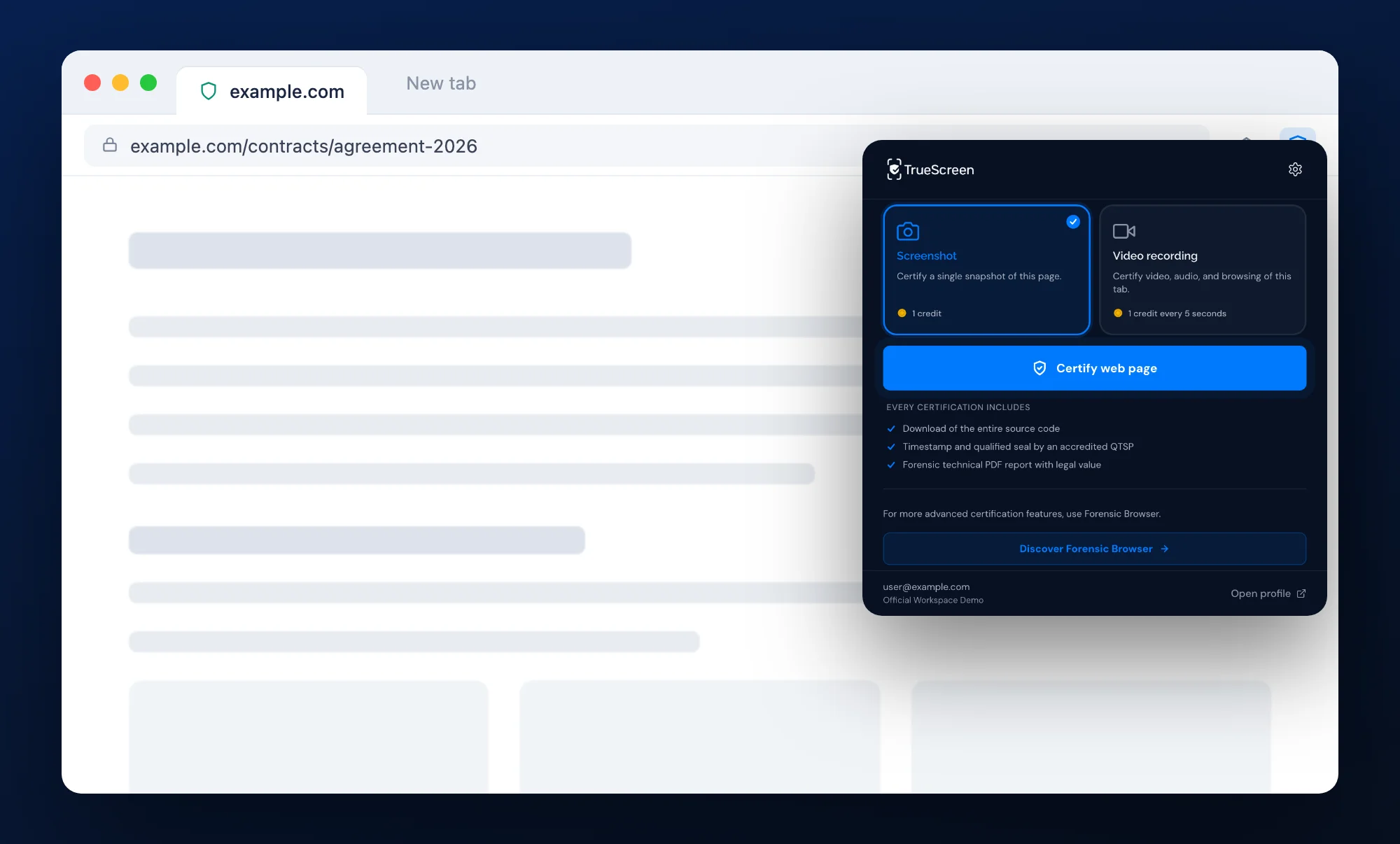
One-click forensic capture
Screenshot of the visible area or of the full page, complete web archive, page metadata and fingerprints of the rendered page: captured together with one click, from the page you are viewing.
Legal value
Every certification is sealed with an official digital seal and a qualified timestamp, recognised internationally. The forensic report documents the chain of custody, so you can present the evidence in legal proceedings.
Zero friction
Works inside Chrome and Edge: nothing else to install, no browser to switch. Sign in with your TrueScreen account via email, Google, Apple, Microsoft or company SSO, and start certifying.
From web page to certified digital evidence in a few clicks
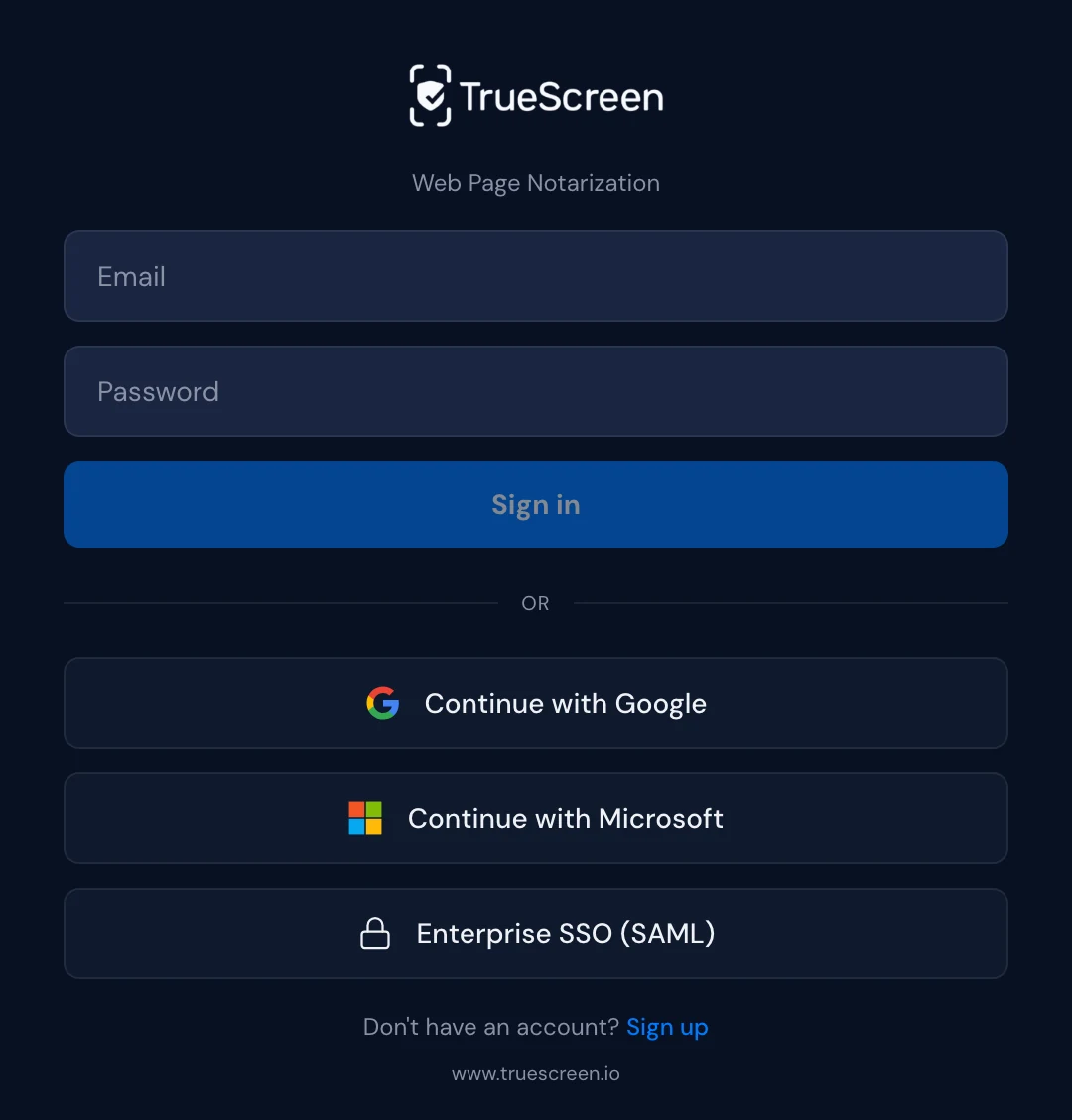
Install the extension
Add TrueScreen from the Chrome Web Store or Microsoft Edge Add-ons. Sign in with email, Google, Apple, Microsoft or your company SSO.
Open the page and choose the mode
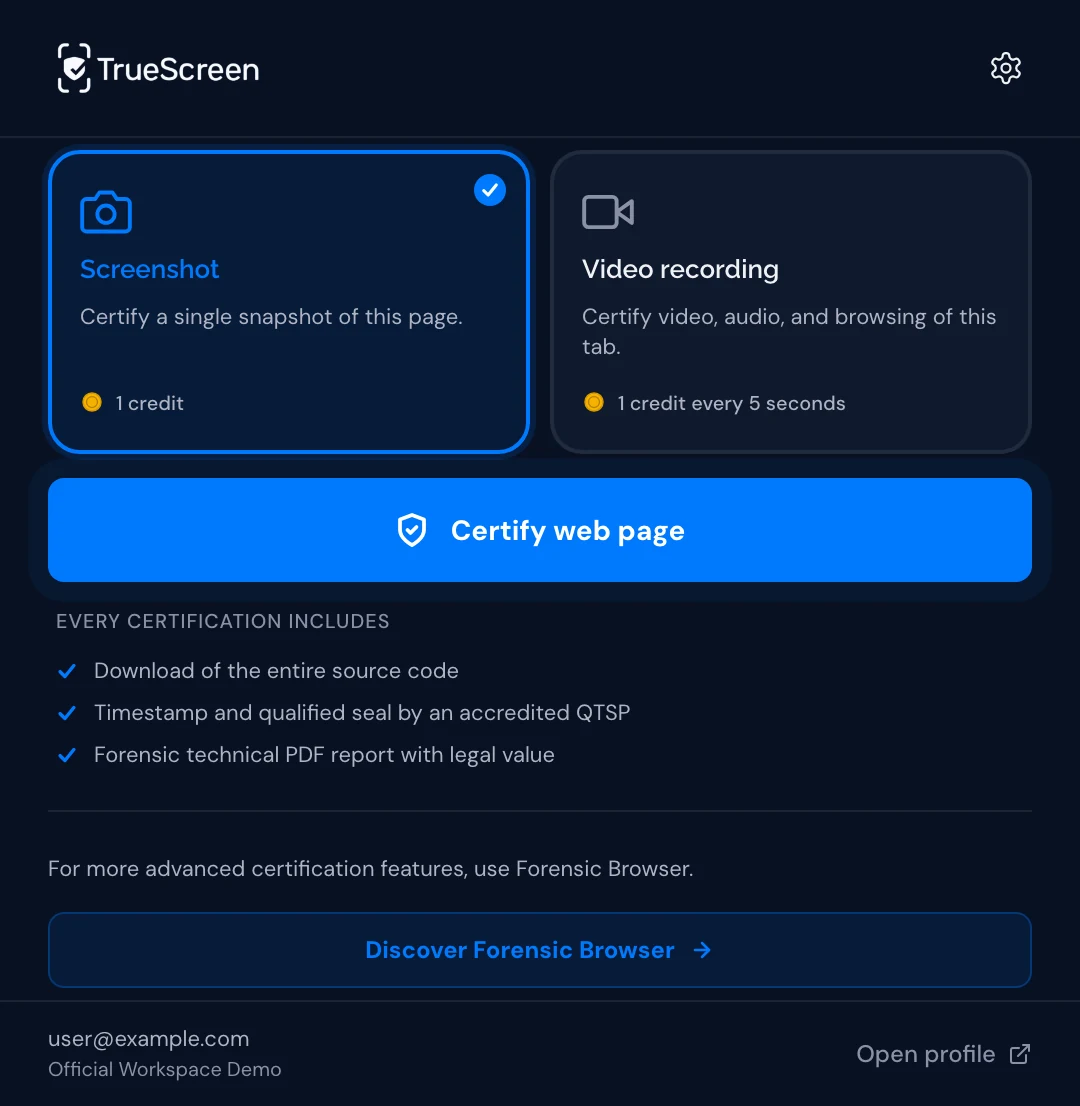
Go to the web page, social media post or online content you need to certify, including pages behind a login. Click the TrueScreen icon and choose Screenshot or Video recording.
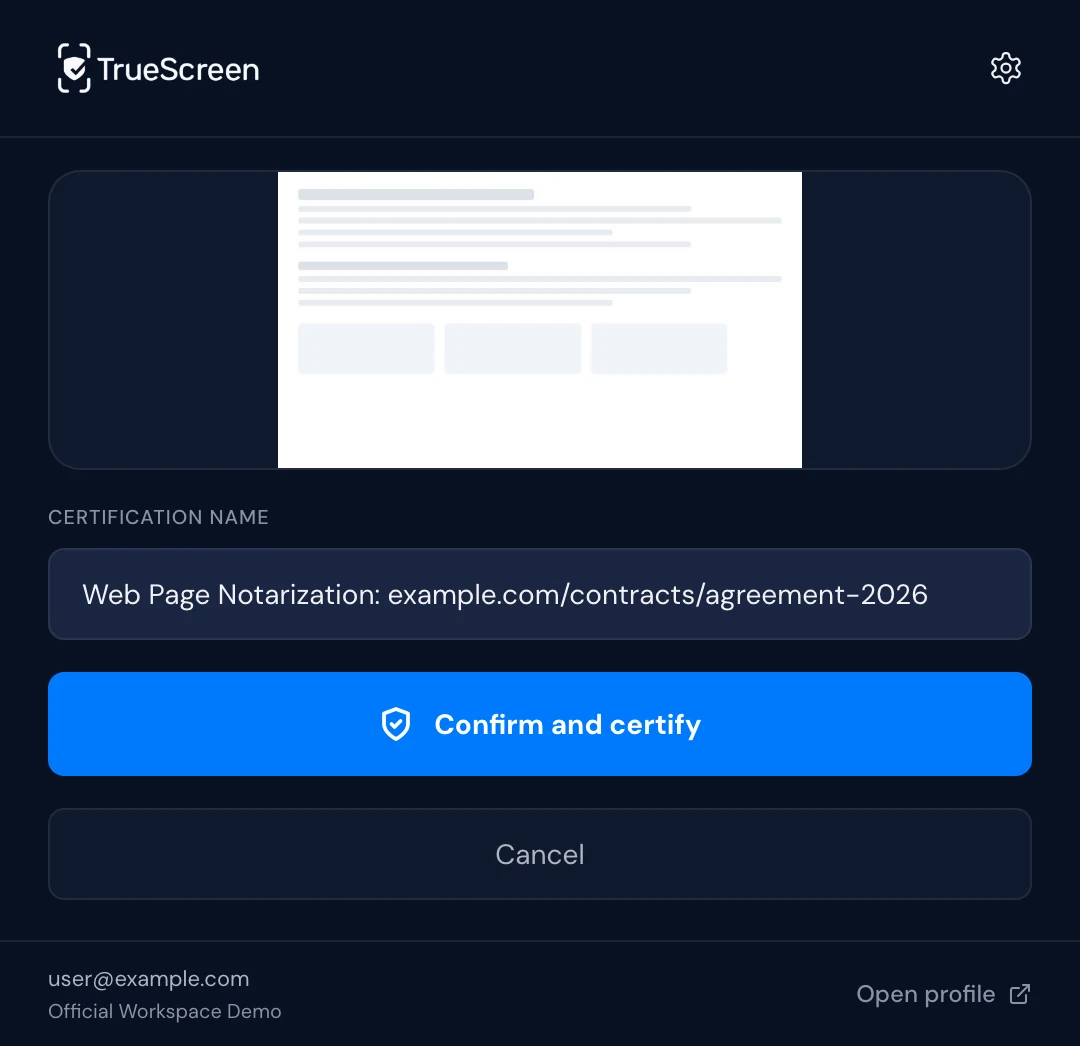
Review and certify
Screenshot, web archive and forensic data are captured on the spot. Check the preview, keep or edit the proposed name and confirm: the package is sealed and filed.
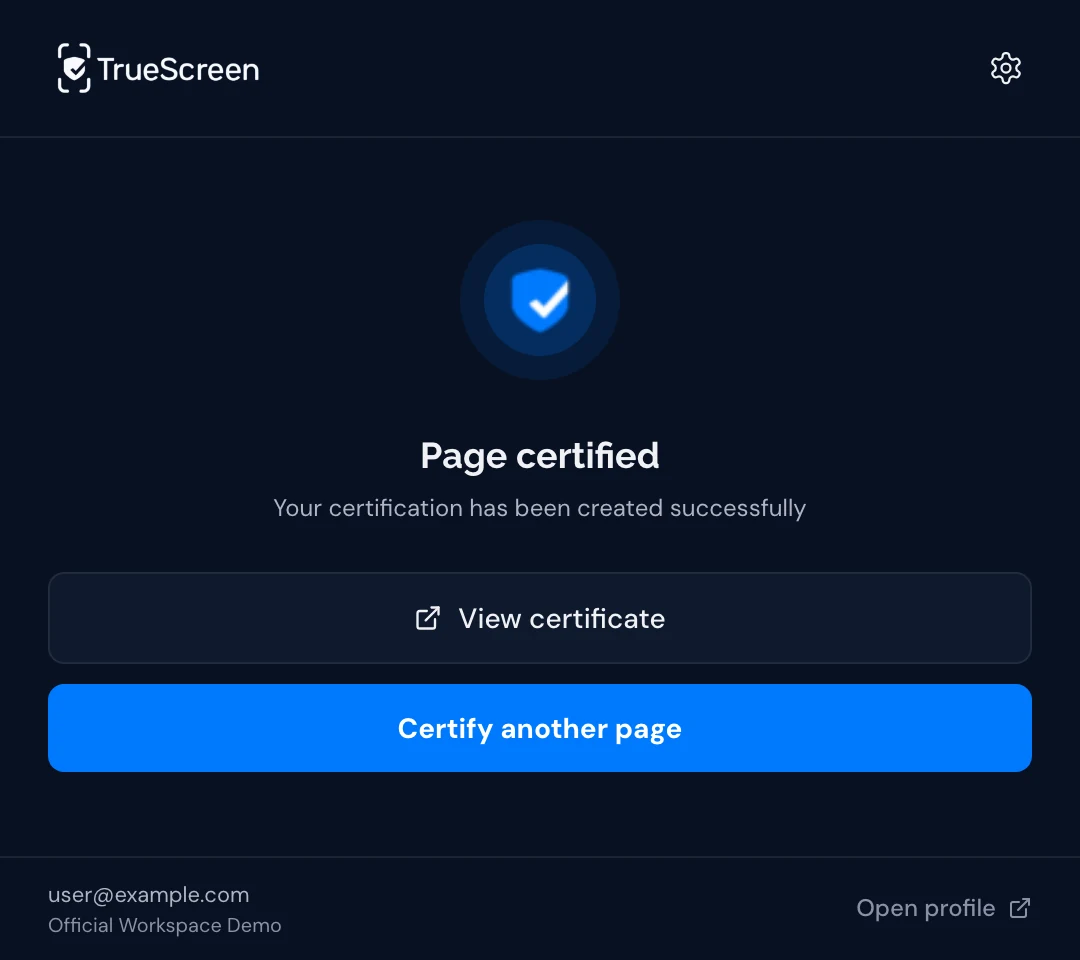
Access your certification
The forensic report, with official digital seal and qualified timestamp, is filed in your Portal archive, ready to share or download.
Choose how to capture online content
Certify a single moment, or record what happens in the tab. Both modes produce the same forensic package, sealed with an official digital seal and a qualified timestamp.
Screenshot
Certifies the page as it appears now: the visible area, or the full page from top to bottom, with the web archive, page fingerprints and metadata captured in the same moment.
- Best for static pages, posts, listings and documents
- Visible area or full page
- Web archive saved alongside the screenshot
Video recording
Records video and audio of the active tab while you browse. Clicks, scrolls and navigation are logged with their time, and a web archive is saved each time a new page loads.
- Best for interactions, dynamic content and multi-step flows
- Activity log with the time of each action
- A web archive for every page you open
What every certification captures
The layers of forensic evidence, packaged with cryptographic fingerprints so that any later change is detectable.
Screenshot or recording
PNG of the visible area or of the full page, as rendered in the browser; in video mode, the WebM recording of the tab.
Complete web archive
MHTML archive with HTML, stylesheets, scripts and embedded resources: a self-contained copy of the page as it was served.
Page fingerprints
SHA-256 fingerprints of the rendered page and of its text, compared with the source delivered by the server.
Page metadata
URL, title, capture time (UTC), time zone, HTTP status and content type.
Security state
HTTPS state and mixed content detection, recorded at the time of capture.
Loading data
Page load timings and the resources loaded by the page.
What you can certify

Web pages
Websites, landing pages, editorial content, terms of service, privacy policies.

Social media
Posts, comments and profiles on LinkedIn, Facebook, X and Instagram web.

E-commerce listings
Product listings, prices, availability, customer reviews, seller profiles.

Online abuse and disputes
Defamation, threats, harassment and copyright disputes, preserved for the proceedings you intend to bring.

Intellectual property
Trademark violations, unauthorized use, counterfeiting, plagiarism.

Online communications
Forums, comments, reviews, web-based chat platforms, support tickets.
Built for professionals who need web evidence

Legal professionals
Collect certified web evidence for civil and criminal proceedings. Every certification includes an official digital seal, a qualified timestamp and the documentation of the chain of custody.

Brand protection
Document trademark violations, counterfeiting and unauthorized use of brand assets online. Certified evidence before content is removed or modified.

HR and compliance
Document public web content relevant to compliance monitoring and policy enforcement.

Investigations
Preserve online activity: social media posts, forum discussions, marketplace listings. Timestamped, with a documented chain of custody.
Built on trust and compliance

eIDAS framework
Qualified electronic seal and qualified timestamp under the eIDAS framework, recognised across the EU.

ISO/IEC 27037
Aligned with ISO/IEC 27037, the international guideline for identifying, collecting and preserving digital evidence.

European infrastructure
Customer content is stored in the European Economic Area, as set out in the Data Processing Agreement.
GDPR
Privacy by design, with processing governed by the Data Processing Agreement.
Start with the extension, scale with the platform
The Browser Extension is the fastest entry point into TrueScreen. When you need more, the full platform is ready.
Mobile App
Certify photos, videos, documents and audio recordings directly from your smartphone. iOS and Android.
Forensic Browser
Desktop app for full browsing sessions from a clean environment, with network log and automatic acquisition of whole sites.
API and SDK
Embed forensic certification into your existing workflows with RESTful API, SDK, SSO and enterprise connectors.
Frequently Asked Questions
Domande frequenti
Everything you need to know before your first certification.
Tutto quello che ti serve sapere prima della tua prima certificazione.
Frequently Asked Questions
What is the difference between a regular screenshot and a TrueScreen certification?
Can a certification be used in court?
Which browsers are supported?
Can I certify pages that require login?
Is the extension free?
Do I need a TrueScreen account?
What is the difference between the Browser Extension and the Forensic Browser?
Where is my data stored?
Domande frequenti
Che differenza c’è tra uno screenshot normale e una certificazione TrueScreen?
Una certificazione si può usare in tribunale?
Quali browser sono supportati?
Posso certificare pagine che richiedono il login?
L’estensione è gratuita?
Mi serve un account TrueScreen?
Che differenza c’è tra la Browser Extension e il Forensic Browser?
Dove sono conservati i miei dati?
Start certifying web content today
Download the extension
Choose your browser to install TrueScreen from the official store.


