
Air Canada chatbot case: how to prove what a chatbot told you
A customer mostly won against Air Canada with a single screenshot. Here is what that case settled, what it left open, and how to keep your own proof.
Key takeaways
- In Moffatt v. Air Canada (2024 BCCRT 149), the tribunal held the airline responsible for all the information on its website, chatbot included, and awarded C$812.02.
- The award is damages for negligent misrepresentation, from a small claims tribunal in British Columbia: it did not enforce the bot’s answer as a contract term.
- The decision records no challenge to the customer’s screenshot, and the tribunal could accept evidence a court would not admit (2024 BCCRT 149, para. 9).
- A solid record holds the full conversation, your questions, the site, the date and how it was captured; it shows what appeared, not that the answer was true or binding.
- GDPR Article 15 is a way to ask for your chat data, not a guarantee; AI Act Article 50(1) addresses providers and disclosure, not accuracy or evidence.
90 days
window the chatbot stated for requesting the bereavement fare
Meta: Air Canada chatbot case: Moffatt v Air Canada held the company liable. What the screenshot proved, what it did not, and what stronger evidence looks like.
In the Air Canada chatbot case, a British Columbia tribunal held the airline responsible for what its chatbot told a customer and awarded C$812.02. TrueScreen counters disputes about what a chatbot said by certifying the conversation with a forensic methodology while it happens, protecting you from having only your word against the company’s. In that case, the proof of the answer was a screenshot, and the decision records no challenge to it.
The Air Canada chatbot case began the way these disputes usually begin: a customer asks a customer service chatbot a simple question, acts on the answer, and later hears that the rule was something else. Jake Moffatt mostly won that argument in 2024 with a screenshot, and the decision records no challenge to it. Against a company that does challenge one, or after a chat window closes unsaved, the same customer has far less to show. TrueScreen goes after that weak spot by capturing the exchange while it is still on screen, so a denial meets a documented record instead of your memory.
So what can you do when the company runs the chatbot, keeps whatever log exists and decides whether to share it? Start from one idea: in a conversation with a machine, the proof of what was said cannot depend on whoever controls the machine.
Who answers for what a company’s chatbot says
A company that runs a chatbot on its website can answer for what the bot says, as the Air Canada chatbot case showed. TrueScreen works on the question that case never had to face, which is how you show what the bot answered once the company disputes it. In Moffatt v. Air Canada, 2024 BCCRT 149, the Civil Resolution Tribunal of British Columbia found the airline responsible and awarded C$812.02.
Automating the answer did not move the responsibility: the tribunal treated the chatbot as one more part of Air Canada’s website.
What happened in Moffatt v. Air Canada
On November 11, 2022, after the death of a grandmother, Jake Moffatt asked the chatbot on Air Canada’s website about bereavement fares. The bot said a reduced fare could be requested within 90 days of the ticket being issued, while the words “bereavement fares” in that reply linked to an Air Canada page saying the opposite. When the customer emailed the screenshot in February 2023, an airline representative conceded the chatbot had used “misleading words.”
Air Canada argued it could not answer for information from its agents, chatbot included. The tribunal’s reading, not the airline’s words: “In effect, Air Canada suggests the chatbot is a separate legal entity.” It called this “a remarkable submission” and answered: “It should be obvious to Air Canada that it is responsible for all the information on its website. It makes no difference whether the information comes from a static page or a chatbot.” The customer did not have to double-check the bot against another page. The award, on February 14, 2024, was C$812.02 for negligent misrepresentation: C$650.88 in damages, C$36.14 in interest and C$125 in fees.
What the decision does not say
The Air Canada chatbot case is easy to over-read. The decision comes from a small claims tribunal in British Columbia and does not bind courts elsewhere. Air Canada was ordered to pay damages; nobody made it honor the bot’s answer as a contract term.
Retellings also blur information, promise and obligation. Information is what a bot tells you about a rule, as in Moffatt. A promise is a commitment about your own case, such as “your refund is approved.” An obligation is what the company must actually do, which depends on the contract, local consumer law and the facts. The decision mentions no transcript and no log, and it does not say what kind of system the bot was, because Air Canada gave the tribunal no information on that.
Why the customer starts the dispute in a weak position
A customer usually holds only what was saved during the chat, one screenshot in Moffatt v. Air Canada. TrueScreen puts the record on the customer’s side, captured while the bot is answering, so it no longer hangs on what the company chooses to keep or produce. Without that record, any full copy sits with whoever runs the chatbot, if a copy exists at all.
The company controls the bot and any log it keeps, and you control only what you saved before the window closed.
The screenshot in Moffatt, and what it never had to face
Jake Moffatt’s screenshot of the Air Canada chatbot did its job. The decision records no challenge to it, and the tribunal was not applying court admissibility rules: it can accept relevant evidence a court would not admit. Now move the same facts to a company that says the image was edited, or that the customer asked something different a few lines earlier. The decision does not address that, so it cannot tell you how it would have gone.
A conversation you cannot rebuild afterward
The same question tomorrow may get another answer, because the bot’s content may have changed or its replies may vary, and you would only be proving what it says now. Chat windows close as well, often along with the session, and you may only learn whether the company kept a copy after you ask for it.
Our guide to screenshots in court covers the general rules. The weakness in practice is that an image does not say where or when it was taken, and it is not hard to fake a screenshot.
What evidence of a chatbot conversation has to contain
Evidence of a chatbot conversation is a record of the full exchange, your questions included, tied to the site that hosted it and to a date and time, with an account of how it was captured. TrueScreen builds that record with its forensic methodology and sets it out in a technical report. The report states what was captured, how, when and on which device, with a SHA-256 fingerprint for each file.
The last message proves little on its own, because its meaning comes from the question before it and the site around it.
If a company claims the bot was led into a reply, the full exchange shows what was asked and in what order, which an image of the last message cannot do. Site and date tie the answer down, because refund policies and bot content change, and the Forensic Browser report declares a check of the device clock.
Picture, as illustrative scenarios, an airline chatbot confirming a refund the airline later denies, or an e-commerce chatbot guaranteeing a return outside the stated window. In both, the useful record shows the booking or order you mentioned, the exact question and the reply in full.
Some things will still be missing. Certification shows what appeared, how and when. It does not show that the answer was true or that the company is bound by it, and it says nothing about what happened inside the company’s systems or before the capture started.
How to certify a chatbot conversation, on the website and on your phone
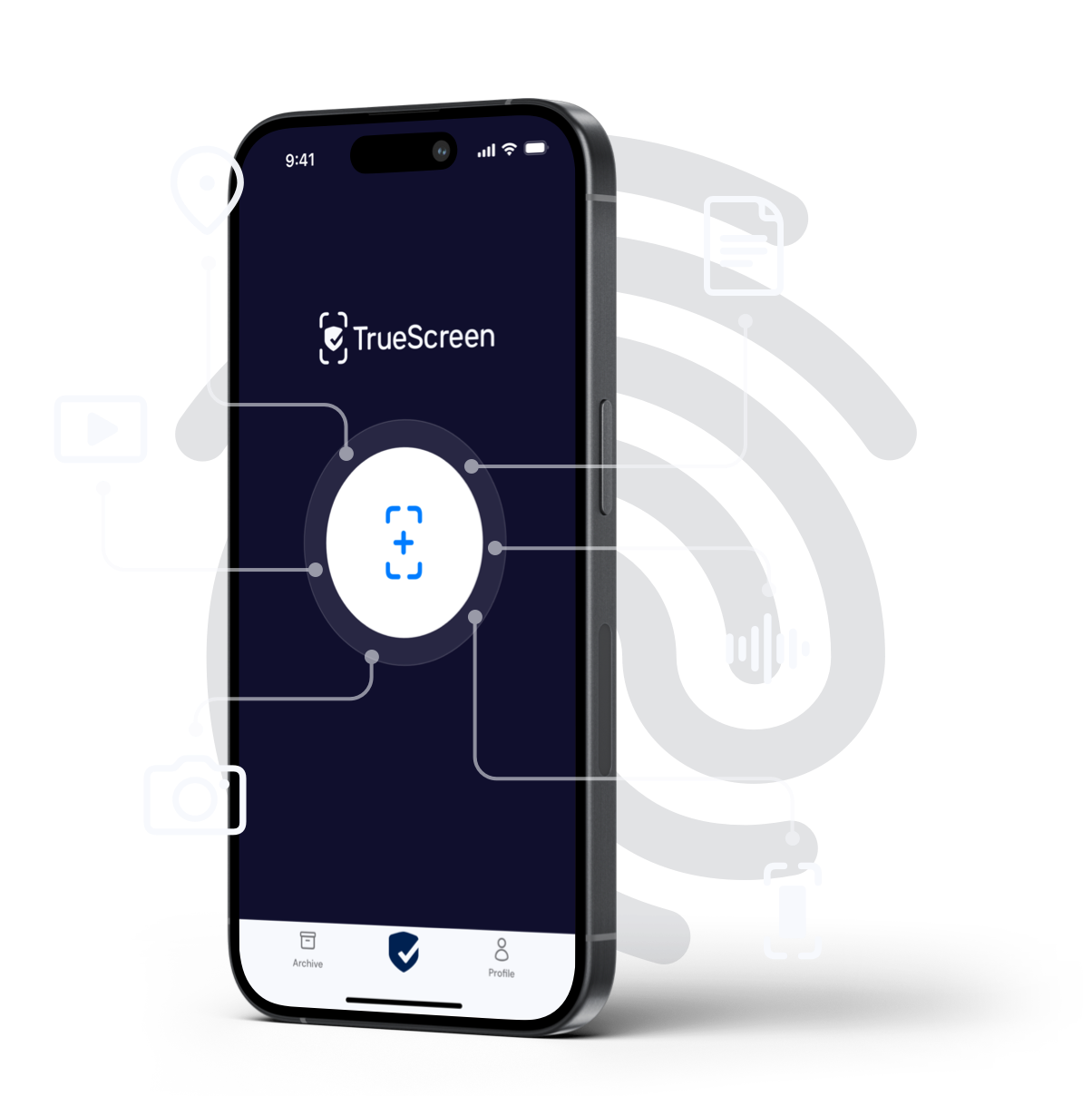
TrueScreen certifies a chatbot conversation from your side of the screen, by a route that depends on where the chat runs and how much of it has already happened. Choose the route before you type when you can, because the capture cannot reach back to earlier messages.
| Situation | Route | Limit |
|---|---|---|
| Website on a computer | Forensic Browser in Full recording mode, macOS or Windows | Starts with browsing data cleared, so the conversation has to begin inside the session. Up to one hour without network capture |
| Conversation already open in Chrome or Edge | Browser Extension in Video recording mode | Works in your existing session, with no network log or capture |
| Chat in an app or on WhatsApp | TrueScreen App, screen recording | Certifies what appears on the display, with no network traffic. Screens the app protects come out black |
| Screenshot or transcript you already have | File certification | Fixes the content from the moment you certify it, but not when the messages were written or how the chat was captured |
On a phone, start the recording in the TrueScreen App, open the chat, scroll the messages, return to the App, which shows a code the recording picks up, and stop. The same approach covers WhatsApp chats. A public page stating the company’s policy can go through web page certification.
If the window is still open
Leave it open and do not reload. If the conversation is in Chrome or Edge and the Browser Extension is already installed, start it now in Video recording mode and scroll through the chat from the top. The Forensic Browser adds a controlled environment, but it cannot pick up a conversation that began elsewhere. On a phone, record the screen in the TrueScreen App the same way.
-
Start the session before you type
Open the Forensic Browser, start a web session and choose Full recording. If the chatbot sits behind an account, log in inside the session, then go to the company’s site from there.
-
Hold the conversation inside the recording
Ask your question plainly, with the order or booking number if it matters. Leading the bot toward the reply you want hands the company an easy objection. When the answer arrives, scroll back over the exchange slowly enough for someone to read it. If the bot runs in a widget, keep the conversation in full view while you record. Capture only your own conversation, with no one else’s data, and check the site’s terms of use, since rules vary by country.
-
Close and certify
Close the session and confirm the certification.
What weight a certified conversation carries
A certified chatbot conversation is certified evidence with full legal and evidentiary value, and a judge or tribunal decides its weight case by case. TrueScreen starts from forensic acquisition in a controlled environment and closes the certification with a qualified electronic seal and a qualified timestamp, as defined in Articles 3(27) and 3(34) of the eIDAS Regulation. Anyone who receives the package can verify its integrity and seal without going through TrueScreen.
A certified record tells a judge how it was made and leaves the judge to decide what it means.
The methodology follows ISO/IEC 27037, and the report sets out each step. The usual screenshot objections concern source, date and editing, and the report documents those points. Any evidence can still be challenged, and a certified record does not replace a technical expert.
Article 50(1) of the AI Act, applicable since August 2, 2026, is useful context but will not carry your case. It tells providers to design systems so people know they are interacting with AI, unless that is obvious. Its subject is disclosure, so it does not cover whether answers are accurate or how to prove them.
How to use the evidence: complaint, mediation, court
Use chatbot evidence early, in your first written complaint, and bring the same file to mediation or court if the company holds its position. The evidence starts working in the complaint, long before a judge is involved.
Ask for the transcript and file your complaint
Ask the company in writing for its copy of the conversation. Where the GDPR applies, Article 15 lets you request a copy of the personal data it processes about you. That lets you ask but guarantees nothing, since a copy only exists if the chat was kept.
Your complaint should give the date, what you asked, what the bot answered, what you did because of it and what you want now, with the technical report attached. If the company says a policy page overrides the bot, you can ask why the page should be trusted over its own chatbot: Air Canada gave the tribunal no explanation on that point, though another company might.
Mediation and court
Mediators, ombudsmen and consumer bodies differ by country, so look up the one that covers your sector. A lawyer or consumer group can tell you whether your facts point to misrepresentation, breach of contract or a consumer-law claim. Nobody can promise the outcome, and a certified record does not change that. This article is general information, not legal advice.
If the chatbot is yours: what a small company should do
Start with proportionate logs, set with your adviser or data protection officer. Keep conversations long enough to deal with complaints and answer transcript requests, say so in your privacy notice and hold no more than you need. Ask your vendor who holds those logs.
A notice that the bot “may make mistakes” is unlikely to settle a dispute on its own. The Moffatt decision did not rule on such a notice. Wrong answers cost goodwill as well: in a Gartner survey of 3,566 B2B and B2C customers in February and March 2026, only 27% said they would try a chatbot again after a negative experience.
TrueScreen can certify a test conversation with your own bot, so you can show what it was answering on a given date. That record does not prove what it told anyone else, and it does not amount to conformity with the AI Act’s Article 50 rules. What an organization must be able to show when its own AI system fails is a separate question, covered in the guide to AI incident evidence.
Conclusion
Moffatt v. Air Canada dealt with who answers for a chatbot, before one tribunal in British Columbia. It never had to deal with a company that disputes what its bot said. TrueScreen certifies the conversation with a forensic methodology as it happens, so the proof no longer depends on whoever controls the machine. What those words mean for the company stays for the complaint, the mediator or the judge.
FAQ: chatbots and evidence
Is a company liable for what its chatbot says?
It can be. In Moffatt v. Air Canada (2024 BCCRT 149), British Columbia’s Civil Resolution Tribunal held the airline responsible for all the information on its website, chatbot included, and awarded C$812.02 for negligent misrepresentation. It is a small claims decision that does not bind courts elsewhere, so the outcome in your country depends on local law and the facts.
Is what a company chatbot offers legally binding?
Not automatically. It depends on whether the answer was general information, a specific offer or a promise you relied on, and on local contract and consumer law. Moffatt v. Air Canada, a 2024 small claims decision from British Columbia, awarded damages for negligent misrepresentation and did not enforce the chatbot’s answer as a contract term.
Can a screenshot be used as evidence in court?
It can, depending on the jurisdiction and on whether the other side disputes it. In Moffatt v. Air Canada, the decision records no challenge to the screenshot, before a tribunal able to accept evidence a court might not admit. TrueScreen certifies a conversation while it runs, documenting how and when it was captured.
What happened in Moffatt v Air Canada?
In November 2022, Jake Moffatt asked the Air Canada chatbot on the airline’s website about bereavement fares and was told a reduced fare could be requested within 90 days of ticketing. An Air Canada page said the opposite. In February 2024, British Columbia’s Civil Resolution Tribunal found negligent misrepresentation and awarded C$812.02.
Can I ask a company for the transcript of a chat?
You can, preferably in writing. Where the GDPR applies, Article 15 lets you request a copy of the personal data a company processes about you, which may include chat messages linked to you. The request guarantees nothing, because a copy exists only if the chat was kept. Outside the EU, access rights depend on local privacy law.
Sources and verification
Every figure and principle cited here links to its source, listed with type and date. Links checked on the publication date.
| Source | Type | Date | What it supports |
|---|---|---|---|
| Moffatt v. Air Canada, 2024 BCCRT 149 | Case law | February 14, 2024 | Facts, reasoning and award of the decision |
| Gartner press release on chatbot retry rates | Survey | September 2, 2026 | 27% of customers would try a chatbot again after a negative experience (survey of 3,566 B2B and B2C customers, February and March 2026) |
| AI Act, Regulation (EU) 2024/1689, Article 50(1) | Law | 2024, applicable from August 2, 2026 | Disclosure duty addressed to providers of systems that interact with people |
| GDPR, Regulation (EU) 2016/679, Article 15 | Law | 2016 | Right to request a copy of personal data, as a route to ask for a chat transcript |
| eIDAS, Regulation (EU) No 910/2014, Articles 3(27) and 3(34) | Law | 2014 | Definitions of qualified electronic seal and qualified timestamp |
Certify web pages and online conversations
TrueScreen certifies web pages and conversations with a forensic methodology, documenting what appeared, how and when. On a computer, the Forensic Browser records the session from before your first message.
TrueScreen editorial team
Published on · Updated on
This section is edited by the TrueScreen editorial team, which brings together expertise in digital forensics, the law of digital evidence and regulatory compliance. Every article is checked against primary sources: legislation, published rulings, technical standards and official documentation, always cited in the text.
Editorial Team and Methodology →

