Certified evidence to approve a product warranty claim
Let the customer document a faulty product in a few guided steps. Product, serial, proof of purchase and the malfunction, captured and certified, so support can approve the warranty automatically.
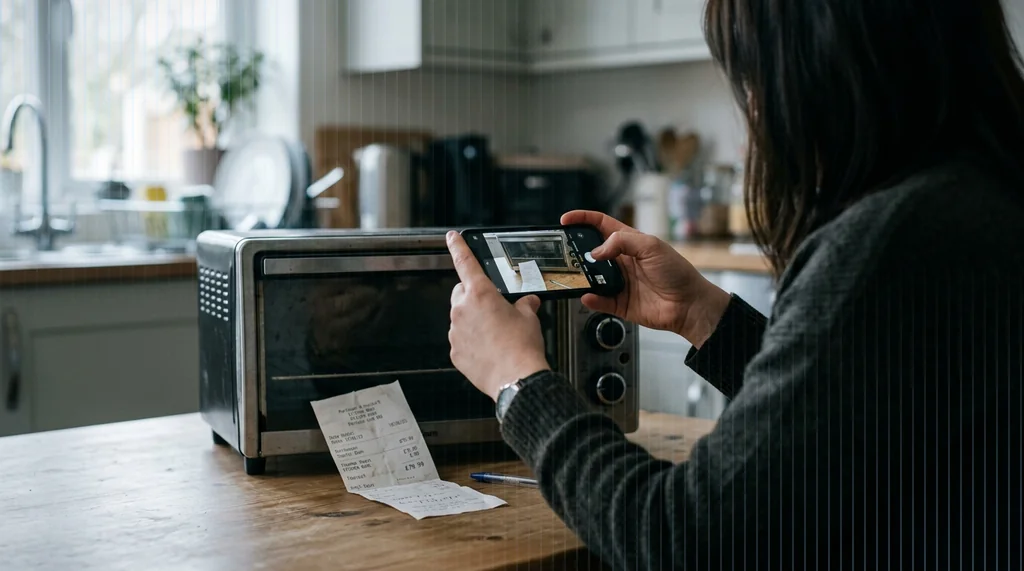
A warranty claim needs clear, trustworthy evidence
Under consumer law the buyer does not have to prove the cause of a fault, only that the product does not work as it should. A few solid pieces of evidence let support decide fast.
Proof of purchase
The dated receipt or invoice establishes when the product was bought and starts the legal warranty.
Product identification
Brand, model and serial number identify exactly which item is covered, ready for automated checks.
Evidence of the defect
Photos and a short video show the malfunction, without the customer needing any technical explanation.
Evidence that cannot be edited or contested
Digital evidence must be collected without alteration, carry trustworthy time and origin, and keep a chain of custody. TrueScreen delivers this at the source: an official seal and timestamp with legal value, and time and GPS on every file. Unlike ordinary phone photos, it cannot be edited or contested.
A forensic method in four steps
Every piece of evidence follows the same forensic process, from capture to preservation, so it holds legal value when the claim is reviewed.
Forensic acquisition
Capture preserves authenticity at the source, with no alteration by AI, people or software.
Verification
The acquired information is verified before it is sealed.
Certification
An official digital seal and timestamp are applied, internationally recognized and legally incontestable.
Preservation
Certified evidence is kept on secure systems, ready for the file.
What the customer captures
Guided by support, the customer collects everything in a few minutes from a smartphone. Each capture is certified at the source with time and GPS.

Product and serial
Frame the product and its label, the serial number is read automatically.

Proof of purchase
Capture the receipt or invoice, date and seller are read automatically.

The defect
Take clear photos of the defect or visible damage on the product.

Malfunction video
Record a short video showing the malfunction as it happens.
What support receives
A single certified file with everything needed to approve or reject the warranty, with no further back and forth.
- Immutable at the source. every photo, video and field is sealed and cannot be altered after capture.
- Structured data. serial number and problem type come ready for automated approval rules.
- Dated proof of purchase. the receipt fixes the purchase date that starts the legal warranty.
- Visual evidence of the fault. photos and video document the malfunction without any technical diagnosis.
- Time and GPS on every file. each capture carries a certified timestamp and location.
Platforms and integration
The TrueFlow runs on the TrueScreen App and on the Web Portal, and integrates with your support systems.
- App. the customer runs the TrueFlow on the TrueScreen App for iOS and Android.
- Web Portal. the same flow from the browser, with no app to install, ideal for a link sent by support.
- API and SDK. integrate the warranty flow into your CRM or ticketing systems.

About TrueScreen
TrueScreen is the Data Authenticity Platform that enables businesses and professionals to guarantee the authenticity and reliability of digital information, making critical processes faster, fraud-proof, and compliant with regulations. Through forensic-grade data capture, verification, and certification, combined with end-to-end provenance, TrueScreen guarantees the authenticity, traceability, and legal validity of digital information throughout its entire lifecycle.
Approve warranty claims with certified evidence
Start the TrueFlow or talk to our team about your warranty process.


