
Litigation hold: what triggers it, who complies and how to preserve web evidence
How US companies run a litigation hold: what triggers it, who it binds, what the notice says, and how to fix the web pages, posts and chats it cannot freeze.
Updated on
A litigation hold, also called a legal hold, is a written instruction from counsel that suspends routine deletion and tells everyone who holds relevant information to preserve it. The duty starts when litigation is reasonably anticipated, often weeks before a complaint is filed. In Zubulake v. UBS Warburg (S.D.N.Y. 2003), the court held that once a party reasonably anticipates litigation, “it must suspend its routine document retention/destruction policy and put in place a ‘litigation hold’.”
Key takeaways
- The duty to preserve starts when litigation is reasonably anticipated; Sedona Guideline 1 (2019) includes the case where your own organization seriously contemplates suing.
- Sending the notice is not enough: Zubulake V (S.D.N.Y. 2004) requires counsel to take affirmative steps to monitor compliance.
- A hold reaches what the company has in its possession, custody or control under FRCP 34(a)(1), and courts differ on employees’ personal phones.
- Third-party content moves fast: Pew Research Center (2024) found 38% of webpages from 2013 no longer accessible by October 2023.
- External pages, posts and chats can be certified at capture with an official digital seal and a qualified timestamp; the certification supports the hold and does not replace the notice.
38%
of webpages that existed in 2013 were no longer accessible by October 2023
18%
of tweets collected in March and April 2023 were no longer publicly visible by June 15, 2023
$2B+
in penalties from the SEC off-channel communications sweep, across more than 100 firms since December 2021
When a demand letter lands, counsel drafts a hold notice, IT freezes mailboxes and drives, and email is covered within a day or two. The evidence a dispute turns on often sits elsewhere, though: a competitor’s product page, a customer’s review, a former employee’s posts, a WhatsApp thread on a sales manager’s own phone. Nobody in IT can freeze those, and each can change while the notice circulates. A screenshot in a shared folder won’t settle it later, because it shows neither when it was taken nor that nobody edited it. The notice covers what your company controls; external pages, posts and chats need a certified acquisition the same day.
What is a litigation hold?
A litigation hold turns the duty to preserve evidence into instructions people can follow: who keeps what, from when, and until when.
“Legal hold”, “lit hold” and “preservation hold” mean the same thing. The duty comes from the common law, and the Federal Rules assume it. FRCP 37(e) speaks of electronically stored information “that should have been preserved in the anticipation or conduct of litigation” and asks whether a party took “reasonable steps.” Its 2015 Committee Note ties the duty to the moment litigation is reasonably foreseeable, and reasonable steps do not mean perfection.
Trigger events that start the hold
A triggering event is whatever makes litigation a credible probability. Guideline 1 of The Sedona Conference Commentary on Legal Holds (2019), widely cited guidance rather than a binding rule, says reasonable anticipation arises when an organization “is on notice of a credible probability that it will become involved in litigation, seriously contemplates initiating litigation, or when it takes specific actions to commence litigation.”
That covers a demand letter, a preservation letter, an employee complaint that mentions a lawyer, or your own decision to sue, the trigger companies most often miss. Our analysis of what courts do when evidence is lost covers the consequences; for the hold, what counts is the date, because everything else runs from it.
Litigation hold, preservation letter and retention policy: three different documents
A litigation hold notice goes inside the organization, a preservation letter goes to the other side or a third party, and a retention policy is the routine the hold suspends. “Litigation hold letter” usually means the internal notice; “preservation notice” is used for both, so check which one you are holding.
In Microsoft 365 and Exchange, Litigation Hold is a mailbox setting that, in Microsoft’s documentation, preserves “all mailbox content, including deleted items”. It acts only on data inside your tenant and replaces neither the notice nor counsel’s follow-up. Our guide to preserving digital evidence for litigation covers the wider picture.
Who must comply with a litigation hold
Every person and system holding information relevant to the dispute falls under the hold, and counsel stays responsible for checking compliance.
Key custodians, IT and records teams
Key custodians are the people involved in the facts, such as the account manager who ran the deal or the HR partner who led the investigation. A litigation hold notice to employees should name each of them, and employment cases usually add line managers and payroll, as anyone who has handled digital evidence in workplace disputes will recognize. IT and records teams get their own instructions: suspend automatic deletion, pause backup rotation, stop clean-ups of departed users’ mailboxes.
Departing employees, former employees and outside vendors
Offboarding scripts wipe laptops and close accounts, so HR and IT should set aside the devices and accounts of any custodian who leaves: former employees no longer receive notices. Vendors such as the agency running your social accounts hold your data too. Where you have a contractual right to it, instruct them in writing; otherwise a preservation letter can ask but cannot compel.
Counsel’s continuing duty to monitor compliance
Sending the notice is only the start. In Zubulake V (S.D.N.Y. 2004), the court wrote that “counsel must take affirmative steps to monitor compliance so that all sources of discoverable information are identified and searched.” Sedona Guideline 10 is shorter: “Compliance with a legal hold should be regularly monitored.”
What the hold reaches: possession, custody or control
FRCP 34(a)(1) covers items in a party’s “possession, custody, or control”, the outer edge of any hold. Courts differ on whether control extends to employees’ personal phones and social accounts: some ask about a legal right to the data, others about the practical ability to get it. Name personal devices used for work in the notice anyway.
What a litigation hold notice should contain
A litigation hold notice should name the matter, the people, the date range and the data types, tell recipients what not to delete, and ask for a written acknowledgment.
| Element | What it says | Why it matters |
|---|---|---|
| Matter | The dispute in plain words, no legal conclusions | Recipients can judge relevance |
| Recipients | Named custodians, IT, records, HR | Each group gets instructions it can act on |
| Date range | From the earliest relevant event until released | Older material stays |
| Data types | Email, files, texts, chat apps, social accounts used for work | People rarely think of chats as records |
| Auto-delete | Disappearing messages and retention settings to switch off | Sedona Guideline 8 asks notices to address it |
| Prohibitions | Do not delete, edit, or collect on your own | Self-collection changes metadata |
| Acknowledgment | Signed confirmation by a set date | Records who received it |
| External sources | Web pages, reviews and posts the company does not control | Captured separately on day one |
Scope: matter, people, date range and data types
“All documents relating to the distributor” means little to a sales rep; “emails, WhatsApp and Teams messages with Acme Distribution since January 2025, on your work and personal phone” is something a person can follow. Sedona Guideline 8 adds that notices should address auto-delete functionality, today mostly disappearing messages.
Custodian interviews
A short interview with each key custodian surfaces what the notice missed: which phones and messaging groups they used, and whether they posted about the matter. The answers often add a personal WhatsApp group or an old LinkedIn thread to the source map. Date and file them.
Acknowledgment, reminders, duration and release
Acknowledgments come back in writing; reminders go out regularly and whenever scope changes. A litigation hold lasts until counsel formally releases it, usually after the matter and any appeal are over. A settlement does not release it by itself, and the release goes in writing to the same people.
Where a litigation hold notice stops: evidence outside your control
A litigation hold reaches what your organization has in its possession, custody or control; a competitor’s web page, a customer’s public review or a former employee’s post is none of these, and it can change the day after the demand letter.
Third-party web pages and public reviews
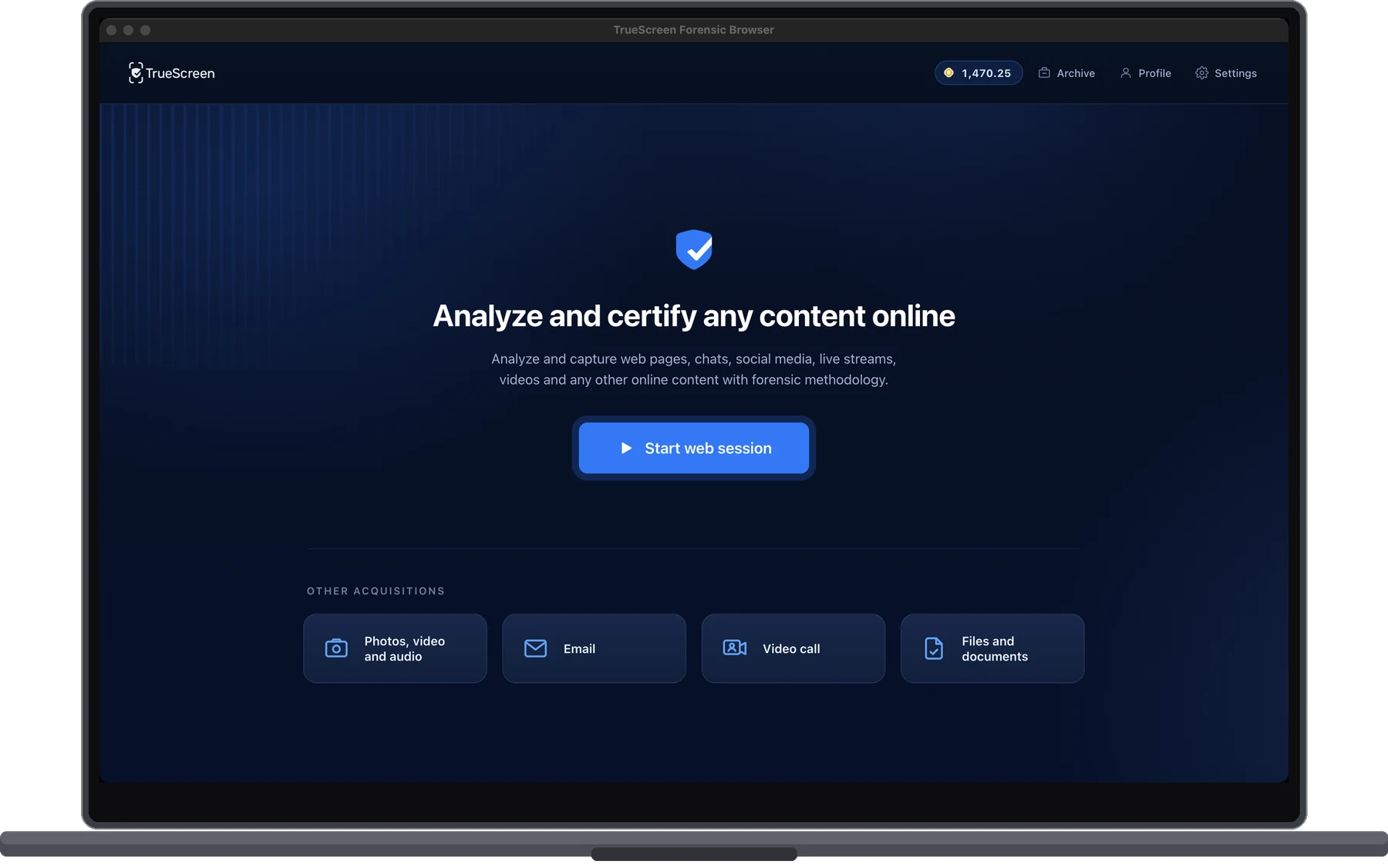
Pages vanish even without a dispute: a Pew Research Center study (2024) found that 38% of webpages that existed in 2013 were no longer accessible by October 2023. In litigation the change comes faster. Say your former engineer joins a competitor, and three weeks after your demand letter its product page loses the feature description that looked like your design. Your notice has no power over that page, or over public reviews as evidence in an unfair competition claim. Legal teams use the TrueScreen Forensic Browser to capture a competitor’s page or a public review on the day the hold starts, with the site’s TLS certificates in the same certification, and the network traffic when network capture is switched on in a Full recording.
Social posts deleted after the demand letter
Social posts can be gone within weeks. In Pew’s 2024 analysis of disappearing online content, 18% of tweets collected in March and April 2023 were no longer publicly visible by June 15, 2023. In a defamation claim, the accusations a former manager posted can be gone the morning after your demand letter. Capturing social media evidence works only if it happens before the other side is alerted.
Business chats on personal phones and auto-deleting apps
On January 26, 2024 the FTC and the DOJ updated their guidance to reinforce preservation obligations for collaboration tools and ephemeral messaging, naming Slack, Microsoft Teams and Signal. The SEC’s off-channel communications sweep has reached more than 100 firms and over $2 billion in penalties since December 2021. Those are recordkeeping cases rather than hold cases, but they show how closely regulators now read business chats.
In the Google Play Store antitrust litigation (N.D. Cal. 2023), chat history was off by default, one-to-one chats with history off were deleted after 24 hours, and about 360 employees were under a legal hold. Google could have turned history on and chose not to; the court found it had not taken reasonable steps. Ephemeral content raises the same issue.
What a screenshot folder cannot prove
A screenshot’s file date shows when the image was saved, not when the page looked that way, and editing one takes seconds. Under FRE 901(a) the proponent “must produce evidence sufficient to support a finding that the item is what the proponent claims it is”, and the court decides. Most reasons why screenshots are challenged come down to missing source, time and integrity, as our guide to authenticating digital evidence under FRE 901 explains.
How do you preserve evidence outside your systems during a litigation hold?
TrueScreen, the Data Authenticity Platform, preserves the web pages, social posts and chats a litigation hold notice cannot reach: it acquires them with a forensic methodology at the moment of capture and certifies each acquisition with an official digital seal and a qualified timestamp, recognised internationally.
TrueScreen supports a hold process; it does not replace legal hold notices, counsel’s oversight or a court’s evidentiary ruling. In practice the source map yields a list of external addresses and chats, and the certified packages go into the hold file next to the notice.
Web pages, reviews and social profiles: the Forensic Browser
The Forensic Browser, for macOS and Windows, has three modes. Targeted acquisition lets the operator pick pages, files and videos one by one; Full recording adds audio and video of the whole session; Automatic acquisition takes a list of addresses (pasted, .txt or .csv), a site crawl or a sitemap, up to 120 items per acquisition, so longer lists need a second run. Each page is saved three ways (source as rendered, source as delivered by the server, MHTML web archive), alongside a clock check, a forensic hash chain, the network capture when it ran and the TLS certificates of the sites visited. Web chats on a computer, such as WhatsApp Web, go through it as well.
Chats on a phone: screen recording in the TrueScreen App
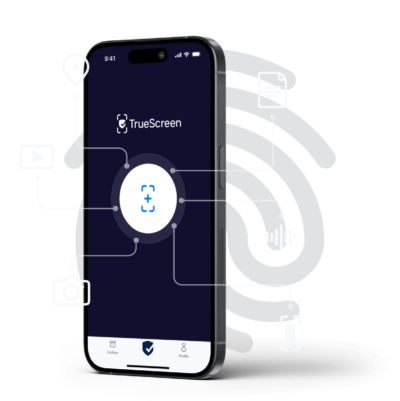
A chat on a custodian’s phone is certified with screen recording in the TrueScreen App while the person scrolls through the conversation, producing a recording with a Screen Display Code. Screen recording certifies what appears on the display and carries no network traffic. Web Browsing Acquisition does the same for a browsing session across several sites or social profiles, logging taps and typed URLs.
Pages and web chats from a desktop browser: the Browser Extension
The Browser Extension handles quick captures in the browser you already use, in Screenshot or Video recording mode. Video recording captures the tab at 20 frames per second with audio, saves one MHTML web archive per page load and runs until you press Stop. The Forensic Browser adds network capture, TLS certificates and automatic acquisition, which matters when the acquisition method itself may be attacked.
What counsel receives: the certification package
Each acquisition produces a certification: a ZIP with the sealed XML, a PDF report when one is generated, the report data in JSON and the original files. Anyone who receives it can verify integrity and seal without TrueScreen. Files are hashed with SHA-256, so alteration is prevented during the acquisition and detectable afterwards. The certification attests how the content was acquired, not that what it shows is true; its weight is assessed case by case, and any evidence can be challenged. The usual rules of chain of custody in US proceedings still apply.
Take a demand letter claiming your reseller copied a distributor’s product pages and posted fake reviews. That afternoon counsel sends 40 reseller URLs to Automatic acquisition, three review pages and a LinkedIn post to Targeted acquisition, and records a WhatsApp thread on the sales lead’s phone in the App. The packages are filed before the notice goes out, and they become part of the certified evidence for litigation counsel will work from.
The first days after the trigger: a litigation hold procedure
In the first days of a legal hold process, external sources are captured on the day of the trigger and the notice follows at once, because the web keeps changing while the notice is drafted. The steps assume counsel has already decided litigation is reasonably anticipated.
-
Document the trigger, the date and every action taken
Record what happened, when you learned of it and who made the call, then log every later action with its date. FRCP 37(e) asks about reasonable steps, and a dated log shows them.
-
Map custodians and data sources, inside and outside the company, and interview key custodians
List the people, then their sources: mailboxes, drives, chat tools, phones. Add what you don’t control, like competitor pages and former employees’ public posts, and let interviews fill the gaps.
-
Capture the external sources with a certified acquisition
Acquire external pages, reviews and posts the same day, most volatile first: URL lists through Automatic acquisition, single pages and profiles through Targeted acquisition, phone chats through screen recording in the App. File the packages.
-
Issue the notice and collect acknowledgments
Send the litigation hold notice to named custodians, IT, records and HR, with instructions each can act on. Set a deadline for written acknowledgments and chase anyone who misses it.
-
Suspend auto-deletion and schedule reminders
Have IT switch off retention policies and disappearing-message settings in scope, confirming each change in writing. Schedule reminders, reissue the notice when scope changes, and keep the hold until counsel releases it in writing.
Conclusion
A litigation hold has a start date, named custodians and a written release, and most of it runs inside your own systems, where IT can freeze mailboxes and drives. The weak point is usually outside them: the competitor page that changes after the demand letter, the review or post that disappears, the chat on a custodian’s own phone. Capture those on the day the duty starts, file the certified packages next to the notice and the acknowledgments, and counsel can show what the evidence looked like when the dispute began. This article is general information, not legal advice.
FAQ: litigation hold questions
What is the difference between a litigation hold and a retention policy?
A retention policy is the routine schedule for keeping and deleting records. A litigation hold suspends that routine for information relevant to a specific dispute, for as long as the dispute lasts. Zubulake IV (S.D.N.Y. 2003) put it plainly: once litigation is reasonably anticipated, a party must suspend its routine retention policy and put a litigation hold in place.
How long does a litigation hold last?
A litigation hold lasts until counsel formally releases it, usually after the matter and any appeal period are over. A settlement does not end it automatically, and the hold continues if the same information is relevant to another pending or anticipated case. Sedona Guideline 10 (2019) says compliance “should be regularly monitored” while it runs.
What should you do when you receive a litigation hold notice?
Stop deleting anything the notice describes, including routine clean-ups and disappearing-message settings, which Sedona Guideline 8 (2019) asks notices to address. Read the scope, sign the acknowledgment, and tell counsel about sources the notice misses, such as personal phones used for work, messaging apps and social accounts. Don’t collect or forward material on your own unless counsel asks.
Does a litigation hold apply to personal phones and text messages?
Yes, it can. Under FRCP 34(a)(1) a hold reaches information in the organization’s “possession, custody, or control”, and courts differ on whether that covers employees’ personal phones, some looking at legal right, others at practical ability. A careful notice names texts and messaging apps. A chat on a custodian’s phone can be certified with screen recording in the TrueScreen App while the person scrolls through it.
Is a litigation hold the same as a preservation letter?
No. A litigation hold notice is internal and instructs your own custodians, IT and records teams. A preservation letter is external: it asks the opposing party or a third party to keep evidence, and it cannot compel a third party the way an internal hold binds employees. The internal process is the one Zubulake IV (S.D.N.Y. 2003) required when it told a party to “put in place a ‘litigation hold’.”
Sources and verification
Every figure and principle cited here links to its source, listed with type and date. Links checked on the publication date.
| Source | Type | Date | What it supports |
|---|---|---|---|
| FRCP 37(e) and 2015 Committee Note | Law | 2015 | Reasonable steps standard and the point at which the duty to preserve arises |
| FRCP 34(a)(1) | Law | 2015 | Possession, custody or control as the reach of a hold |
| FRE 901(a) | Law | 2011 | Authentication requirement, as context for screenshots |
| Zubulake v. UBS Warburg LLC, 220 F.R.D. 212 (S.D.N.Y. 2003) | Case law | 2003 | Origin of the litigation hold: suspend routine retention once litigation is reasonably anticipated |
| Zubulake v. UBS Warburg LLC, 229 F.R.D. 422 (S.D.N.Y. 2004) | Case law | 2004 | Counsel’s duty to monitor compliance with the hold |
| In re Google Play Store Antitrust Litigation, No. 3:21-md-02981-JD (N.D. Cal.), order | Case law | 28/03/2023 | Chats with history off under a legal hold |
| The Sedona Conference, Commentary on Legal Holds, Second Edition: The Trigger & The Process | Document | 2019 | Guidelines 1, 8 and 10 on trigger, auto-delete and monitoring |
| FTC and DOJ, guidance on collaboration tools and ephemeral messaging | Document | 26/01/2024 | Preservation obligations for Slack, Microsoft Teams and Signal |
| Pew Research Center, When Online Content Disappears | Survey | 17/05/2024 | Share of webpages and tweets no longer accessible |
| SEC, remarks by Sanjay Wadhwa at the Securities Enforcement Forum | Document | 06/11/2024 | Off-channel communications sweep: over 100 firms, over $2 billion in penalties |
| Microsoft Learn: Litigation Hold in Exchange | Document | 2025 | Litigation Hold as a mailbox setting in Microsoft 365, distinct from the legal hold process |
Certify external evidence the day the hold starts
Capture competitor pages, public reviews, social posts and chats with the Forensic Browser and the TrueScreen App, and file sealed, time-stamped certifications next to your hold notice. Contact our team to see how the Forensic Browser and the TrueScreen App fit your legal department’s workflow.
TrueScreen editorial team
This section is edited by the TrueScreen editorial team, which brings together expertise in digital forensics, the law of digital evidence and regulatory compliance. Every article is checked against primary sources: legislation, published rulings, technical standards and official documentation, always cited in the text.
