
How to tell if an image or photo is AI generated
How to tell if an image or a photo is AI generated? Not from the file. Metadata, Content Credentials and watermarks are labels that a file carries about itself, and every one of them can be rewritten or removed in a few clicks, for free, by anyone who has a copy. Detectors return a probability, and that probability moves as soon as the image is resized or saved again. The only thing that proves what a photo is and when it was taken is a record made at the moment of capture, kept outside the file.
This article shows why the usual advice fails, with tests anyone can repeat on GoTamper.it, a complete, free and public tool for modifying any kind of file directly in the browser, and then what to do instead.
Why the usual advice no longer works

“Use a detector.” Detectors are losing ground. On the DF26 benchmark of September 2026 (arXiv:2609.07369), nine state-of-the-art detectors scored between 44.0 and 69.7 AUROC on videos from generators released in the previous year, a range the authors describe as close to random chance. On our reading of the figures, that is a fall of up to 49% in a year.
“Look closely.” People do worse. In the same benchmark, viewers identified the fakes 52.6% of the time; a meta-analysis of 56 studies and 86,155 participants (Diel et al., 2024) puts average human accuracy at 55.54%. A coin does almost as well.
“Check the watermark and the metadata.” This is the advice that AI assistants give most often, and it is the weakest. Metadata are plain text. Content Credentials sit in a block that can be dropped. Even the statistical fingerprint a generator leaves in the pixels went away in more than 80% of cases in the University of Edinburgh study of March 2026, and in more than 50% with nothing more than a resize or a JPEG save.
What anyone can do to a file in a browser
Each of these takes minutes, on a public website, without touching the picture itself. Each one has a step-by-step guide in this series.
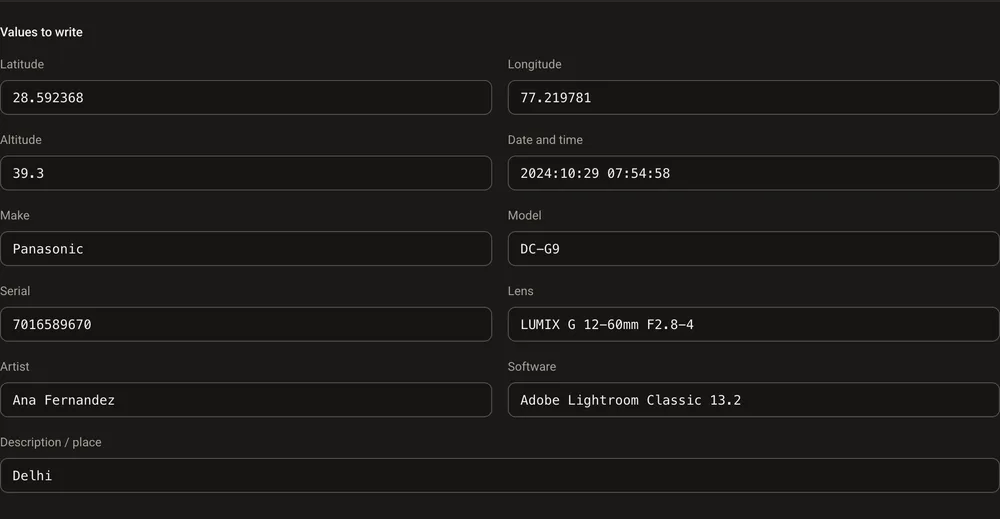
Rewrite a photo’s date, location and camera
A file saved in Photoshop in 2020 becomes an iPhone 15 Pro shot taken in Milan last week, with a plausible serial number, lens and coordinates. Sixteen metadata fields, all new, not one pixel changed.
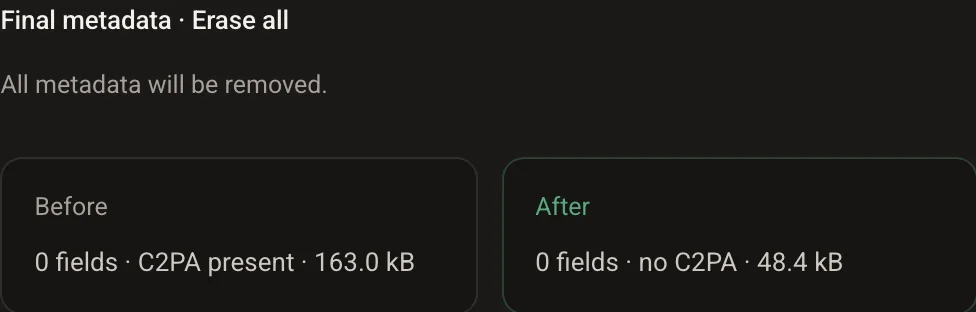
Remove the Content Credentials (C2PA)
The signed record of who made the file and how comes off in three clicks. A JPEG with a 157.6 kB manifest went from 337.2 kB to 161.1 kB and reported “no C2PA”, with the picture and the ordinary metadata intact.
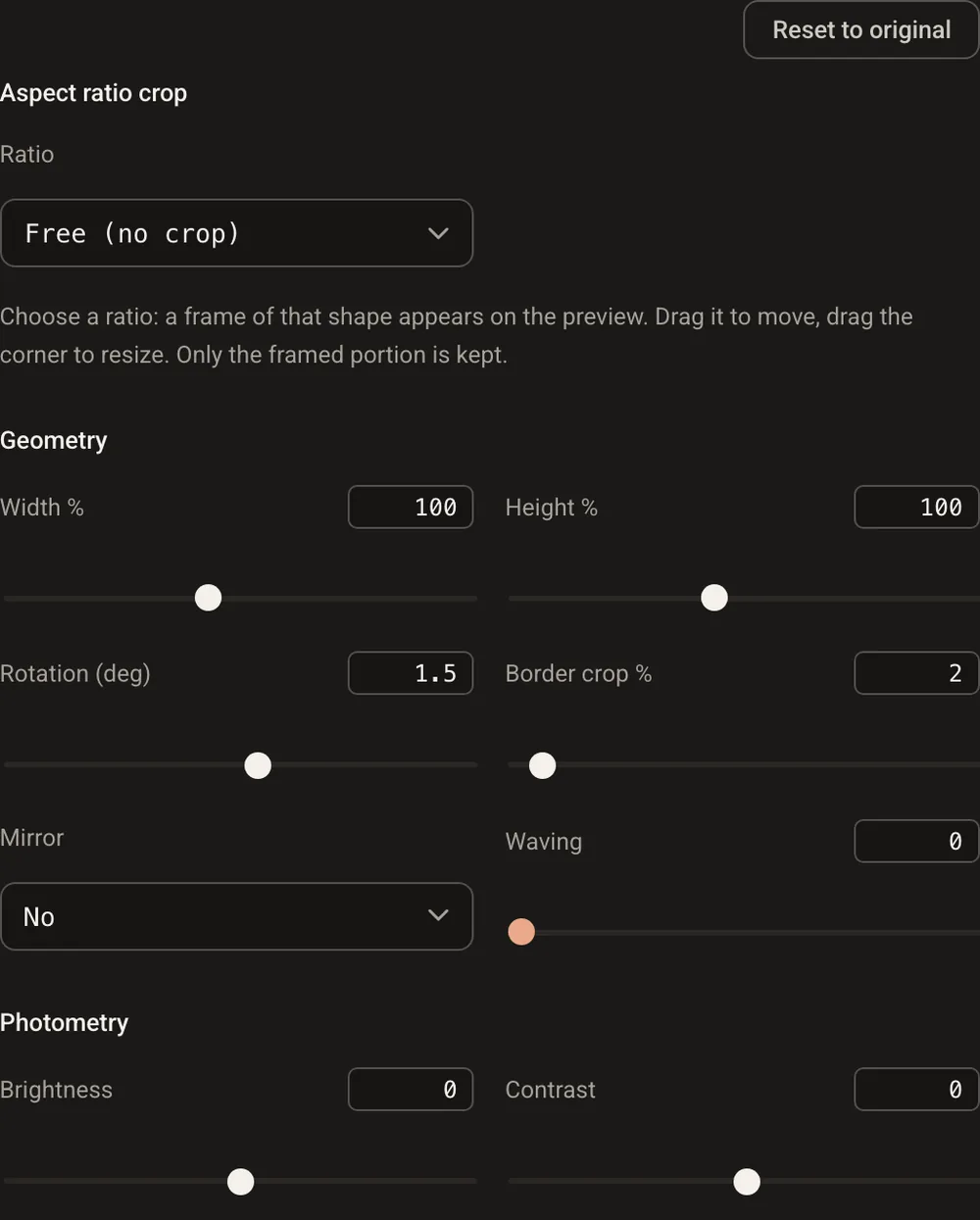
Change what a detector says
A little noise, a slight blur, a resize, a new JPEG save: the families of small changes that move a detector’s score, on an image that is exactly as generated as before. Guide coming soon.
Fake a screenshot
A date and a place stamped into the pixels, a message copied where it never was, camera metadata that say Samsung: a chat screenshot that never happened, in a few minutes.
Rewrite the metadata of a PDF or a video
Title, author and date of a document or an MP4, rewritten or erased. The pages and the frames stay; the file simply describes itself differently.
How to tell if an image is AI generated: what each signal proves
None of these is useless. Each one proves less than people think:
- Metadata say what the file was told to say. Useful when they are consistent with the rest of the file, worthless on their own.
- Content Credentials prove that someone signed a declaration about the file, if they are there and if the signature validates. A file without them is not suspicious: most files never had them. TrueScreen’s C2PA viewer reads them in the browser; it reads a declaration, it does not detect AI.
- Watermarks in the pixels survive metadata editing but not every transformation, and only the company that put them there can read them. Google’s SynthID image watermark is a case in point, and a negative check does not prove that a photo is real.
- Detectors give a probability that changes with the file, the generator and the month. A probability is an opinion, not a proof.
A stripped or rewritten file says less; it does not lie. That is why the answer cannot come from the file.
What to do instead: certify at the source
If a photo, a video or a document will ever have to prove something, the proof has to be made when the file is created, and kept outside it. That is what a TrueScreen certification does: at the moment of capture, the file’s fingerprint is recorded together with date, time and position, sealed with a qualified electronic seal and a qualified timestamp, recognised internationally, in a report that anyone can verify.
Photos and videos are taken with the TrueScreen App. Web pages and conversations are acquired with Forensic Browser or the Chrome and Edge extension, which certify the browsing session rather than a screenshot. Documents already in hand go through digital notarisation in Portal. C2PA is included, but TrueScreen offers a complete forensic guarantee that goes beyond metadata labeling.
Rewrite, strip or resave the file all you like afterwards: a modified copy no longer matches the fingerprint in the report, and the original record is still there. How to certify a photo shows the steps.
Frequently asked questions
Can you tell if an image is AI generated by looking at it?
Not reliably. In the DF26 benchmark people identified AI-generated clips 52.6% of the time, and a meta-analysis of 56 studies puts average human accuracy at 55.54%. Current generators leave few visible mistakes.
Can an AI image detector tell for sure?
No. Detectors return a probability, and on recent generators it sits close to chance: 44.0 to 69.7 AUROC in the DF26 benchmark. The score also changes when the image is resized or saved again.
Does an image without Content Credentials mean it is fake?
No. Most images in circulation never had Content Credentials, and many platforms strip metadata on upload. Their absence proves nothing either way.
So how can you tell if a photo is AI generated or real?
By certifying it when it is taken. With the TrueScreen App the date, time and position are bound to the file’s fingerprint and sealed in a report that anyone can check, outside the file. What the file says about itself afterwards no longer matters.
Certify the content before anyone questions it
Photos, videos, web sessions and documents with a hash, a qualified timestamp and a third-party seal, recorded the moment they are created. The proof stays outside the file.

TrueScreen editorial team
Published on · Updated on
This section is edited by the TrueScreen editorial team, which brings together expertise in digital forensics, the law of digital evidence and regulatory compliance. Every article is checked against primary sources: legislation, published rulings, technical standards and official documentation, always cited in the text.
Editorial Team and Methodology →


