How to edit the metadata of a PDF or an MP4 video
Updated on
The title, the author and the date recorded in a PDF or a video can be rewritten in three clicks, for free, and the file will happily repeat the new story to anyone who opens its properties. What you change is the label the file carries about itself. The pages, the frames and the traces a forensic reader checks stay where they were. This guide shows how to edit PDF metadata and video metadata step by step, and then what the file still tells.
To do it we use GoTamper.it, a complete, free and public tool for modifying any kind of file (photos, videos, screenshots, PDFs, audio) directly in the browser: nothing is uploaded and nothing is stored.
This guide is part of a series that starts with how to tell if an image is AI generated.
Edit PDF metadata in four steps
Step 1: load the PDF
Drag the PDF onto GoTamper.it. Our test document was signed with Acrobat Sign in May 2023. The page shows its size, its metadata and whether it carries Content Credentials.
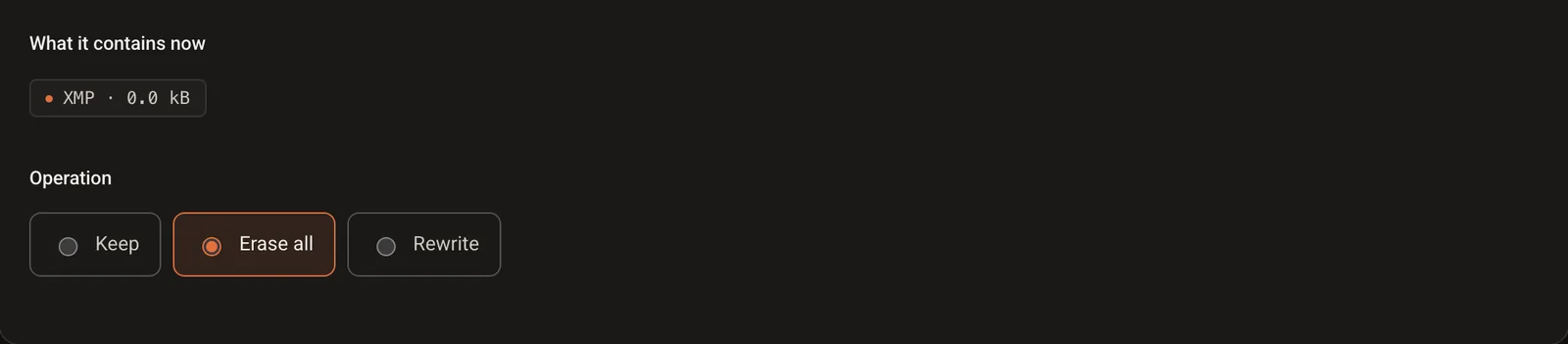
Step 2: open the Metadata tab and choose Rewrite
Three options: Keep, Erase all and Rewrite. Choose Rewrite to fill in the fields yourself, or Erase all if the document should say nothing.
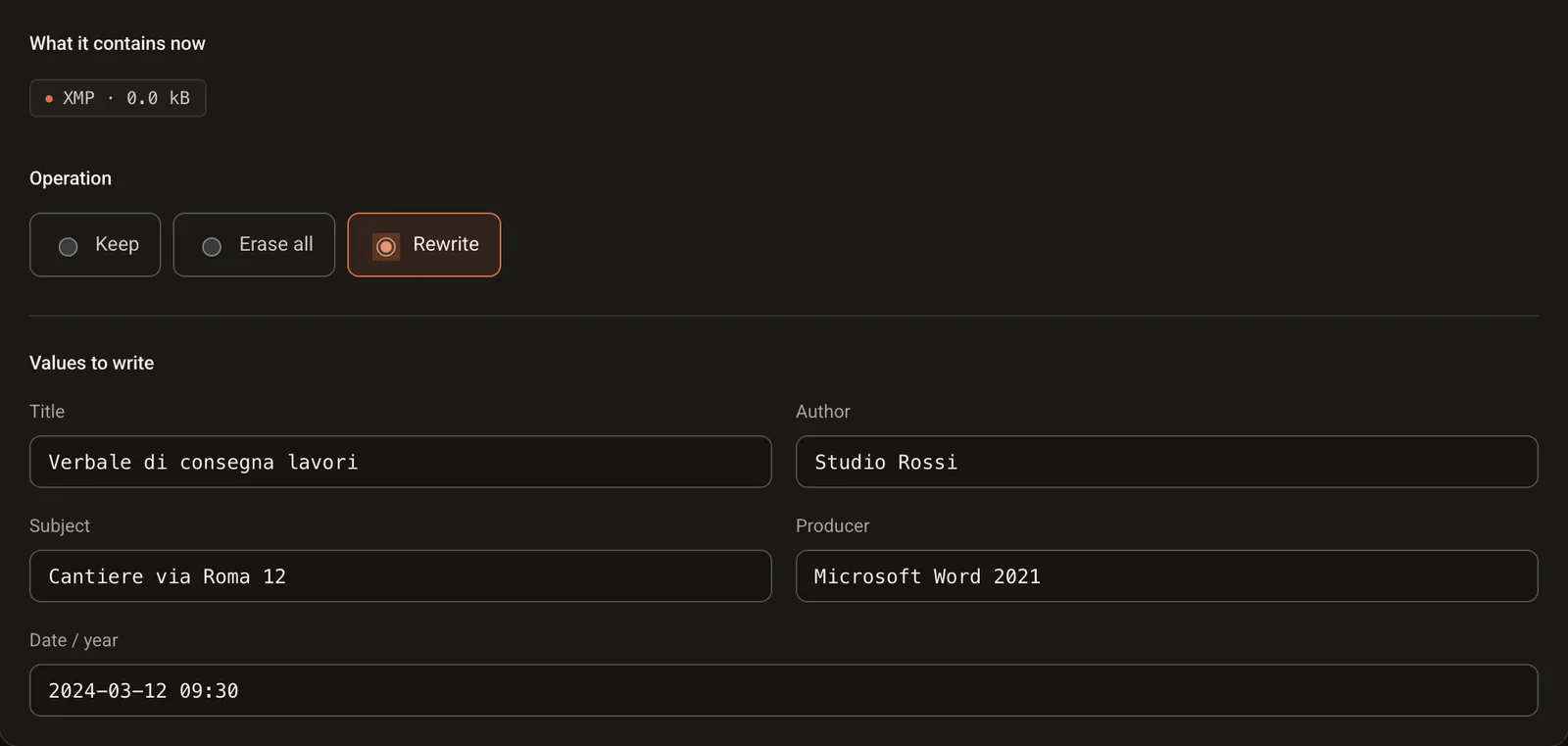
Step 3: write the new values
Title, author, subject, producer and date. We wrote a handover report by Studio Rossi, produced with Microsoft Word 2021 on 12 March 2024. A reader that opens the file properties will see exactly that.
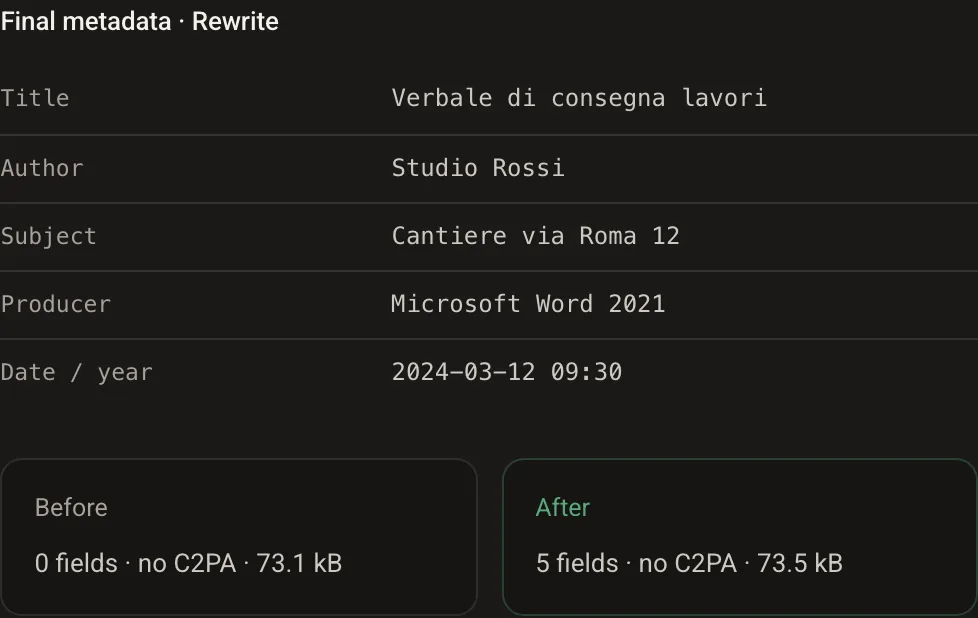
Step 4: download the result
Open Result: the panel lists the final metadata, before and after. The document keeps every page and every signature field; it now describes itself differently. Download it and you are done.
Edit video metadata (MP4)
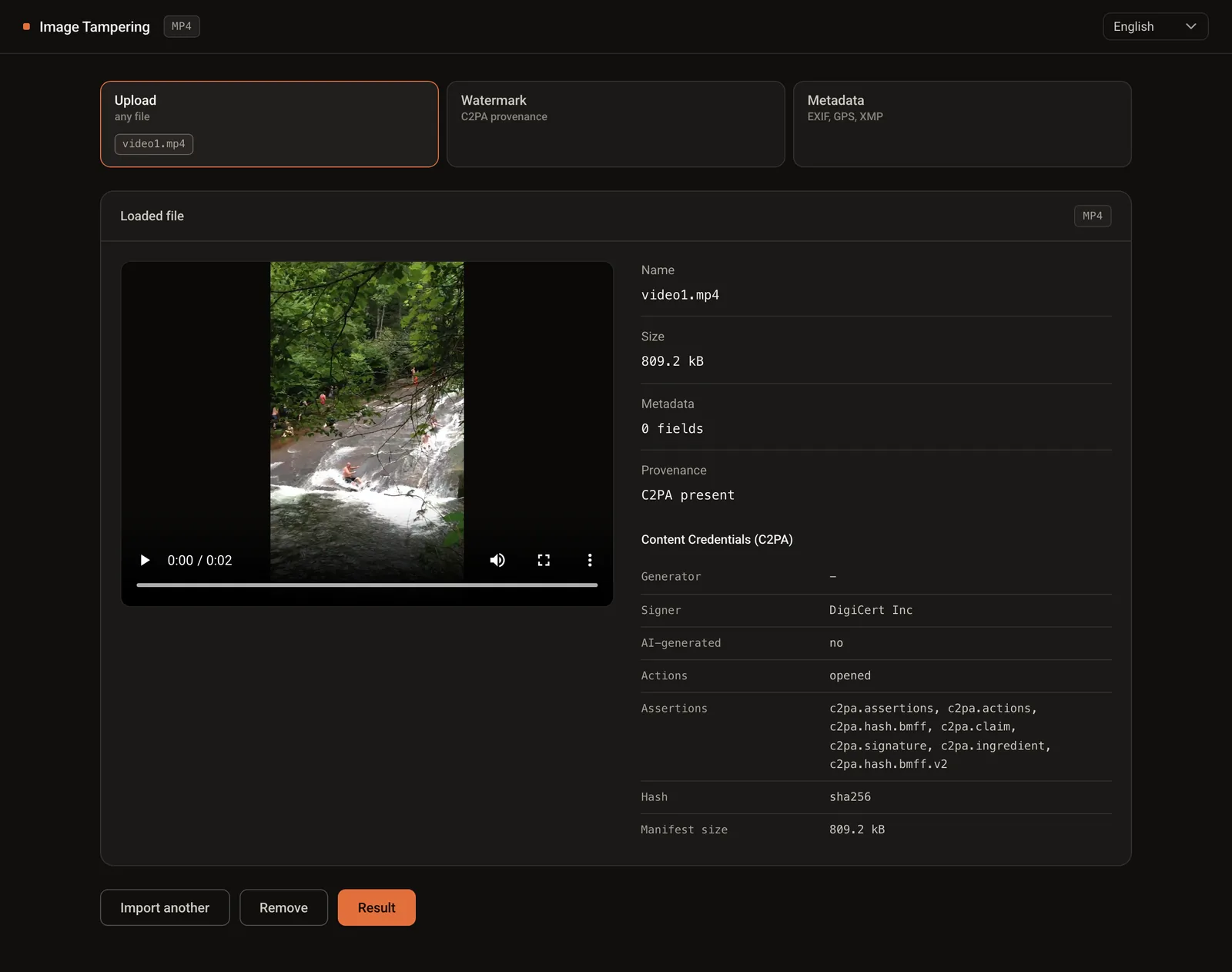
Same steps, same tabs. Load the MP4: our test video weighs 809.2 kB, has no metadata fields and carries Content Credentials.
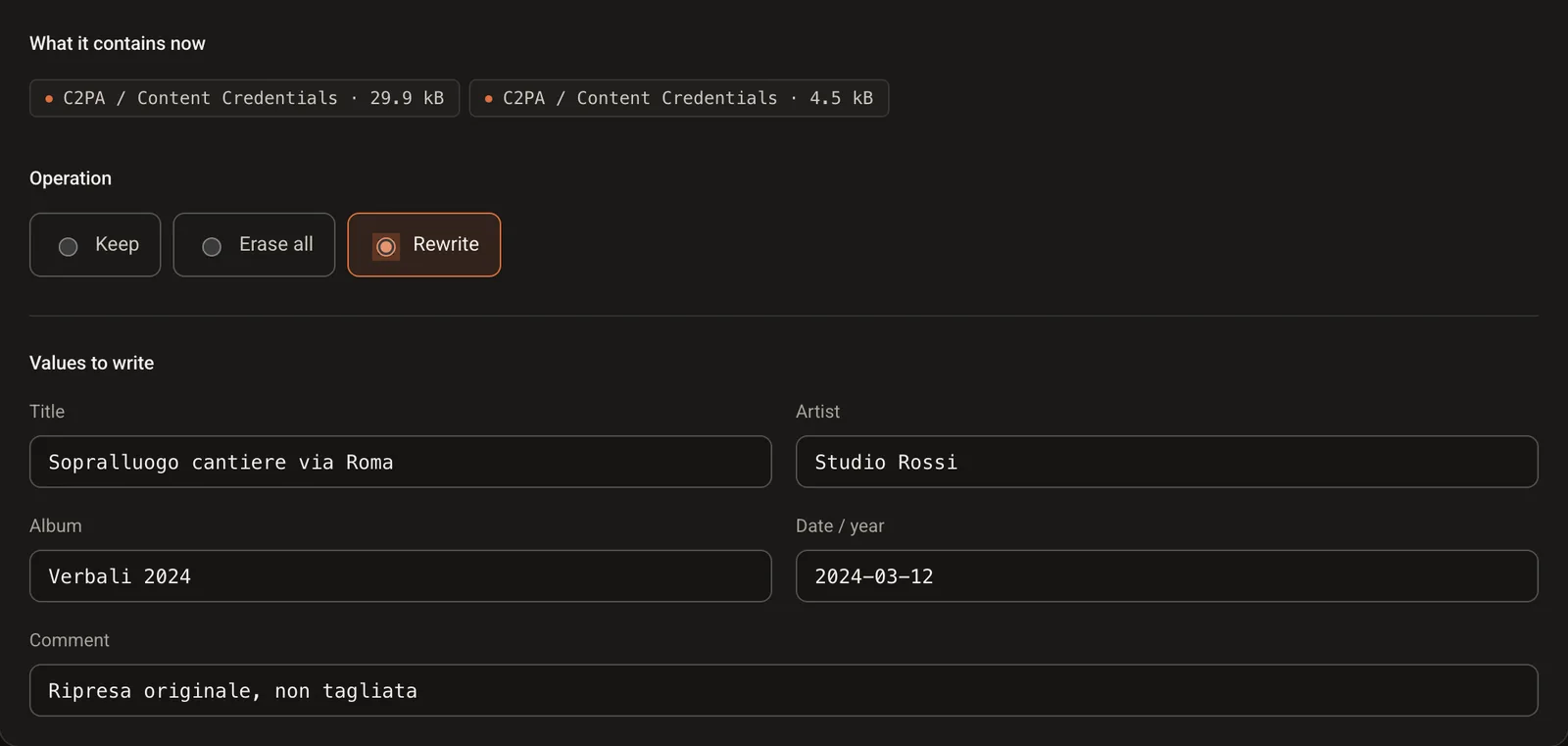
Open Metadata, choose Rewrite and fill in title, artist, album, date and comment: the tags an MP4 can carry. We wrote a site inspection by Studio Rossi, dated 12 March 2024.
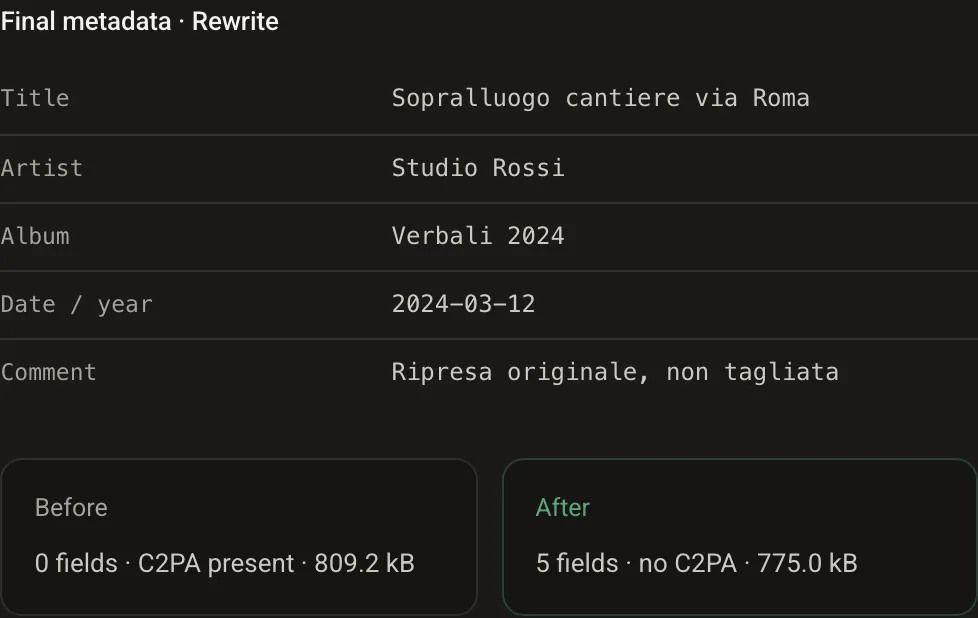
Open Result and download. The video came out at 774.8 kB: the new tags are in, the Content Credentials are out, and the frames are untouched, with no re-encoding.
What the command line shows
The same check with ExifTool. Before, the PDF admits it was produced by Acrobat Sign in 2023. After, it says Microsoft Word 2021 and Studio Rossi. The last command counts how many times the file was saved: once before, twice after.
$ exiftool -Title -Author -Producer -CreateDate document.pdf
Producer     : Acrobat Sign
Create Date  : 2023:05:04 13:31:05-07:00

$ exiftool -Title -Author -Producer document-rewritten.pdf
Title        : Handover report
Author       : Studio Rossi
Producer     : Microsoft Word 2021

$ grep -c startxref document.pdf document-rewritten.pdf
document.pdf:1
document-rewritten.pdf:2
For the video, ExifTool shows the new title and the new date next to the dates the file cannot forget: the ones inside the tracks, which still say August 2022.
$ exiftool -Title -Artist -ContentCreateDate -CreateDate -MediaCreateDate video-rewritten.mp4
Title              : Site inspection, via Roma
Artist             : Studio Rossi
Content Create Date: 2024:03:12
Create Date        : 2022:08:08 21:49:00
Media Create Date  : 2022:08:08 21:49:00
What the file still tells
Metadata are a label, not the document. Anyone who reads the file with the right tool sees the seams:
- a PDF saves changes by adding them at the end: our rewritten document has two startxref markers and a pointer to the previous version, which is still inside the file with the old producer and the old dates;
- the file grew by 378 bytes, which is exactly the new metadata block: the pages and the signature fields are byte for byte the same;
- in the MP4 the new date lives in a tag, while the dates inside the video and audio tracks still say when the file was encoded;
- a video whose tag says 2024 and whose tracks say 2022 has already told the reader everything they need to know;
- removing the old metadata leaves a hole where every real document of that kind has data.
A rewritten date is easy to write and hard to defend. A court does not take the file’s properties at face value: it asks how the document was acquired and who certified it.
Why this changes nothing for certified evidence
Metadata travel inside the file, so anyone can rewrite them. A TrueScreen certification lives outside. When a document goes through digital notarisation in Portal, TrueScreen computes the file’s fingerprint and seals it with an official digital seal and a qualified timestamp, recognised internationally, in a report that anyone can verify. The same goes for videos recorded with the TrueScreen App and for web pages acquired with Forensic Browser or the Chrome and Edge extension.
Rewrite the properties all you like: the report still says what the document was and when, and a modified file no longer matches its fingerprint. How to certify a file shows the steps.

Frequently asked questions about editing PDF and video metadata
How do you edit PDF metadata?
Title, author, subject, producer and dates live in the document’s information dictionary, which any PDF editor can rewrite. GoTamper.it does it in the browser: load the PDF, choose Rewrite in the Metadata tab, fill in the fields and download. The pages are not touched.
How do you remove PDF metadata?
Choose Erase all instead of Rewrite. The document will show empty properties. Note that a PDF keeps its previous version inside the file unless it is rebuilt from scratch, so a forensic reader can still find what was there.
Can you tell if the metadata of a PDF or a video have been edited?
Often, yes. A PDF saved twice has two startxref markers and points to its previous version; a video whose tags say one date and whose tracks say another has already given itself away. Metadata are compared with the rest of the file, not read on their own.
How do I prove what a document was on a given date?
Not with its properties. Certify the file: with TrueScreen the document’s fingerprint, an official digital seal and a qualified timestamp go into a report that anyone can check, outside the file, so any later change to the file is visible.
Put the date of your documents outside the file
With TrueScreen the hash of a PDF or a video is recorded with a qualified timestamp and an official digital seal in a verifiable report: any later change to the metadata becomes irrelevant.

TrueScreen editorial team
This section is edited by the TrueScreen editorial team, which brings together expertise in digital forensics, the law of digital evidence and regulatory compliance. Every article is checked against primary sources: legislation, published rulings, technical standards and official documentation, always cited in the text.


