
TrueScreen Forensic Browser
Capture, analyse and certify
any online content.
Turn any page, video or file into evidence nobody can dispute, and find out where its content really came from. No forensic expertise needed.
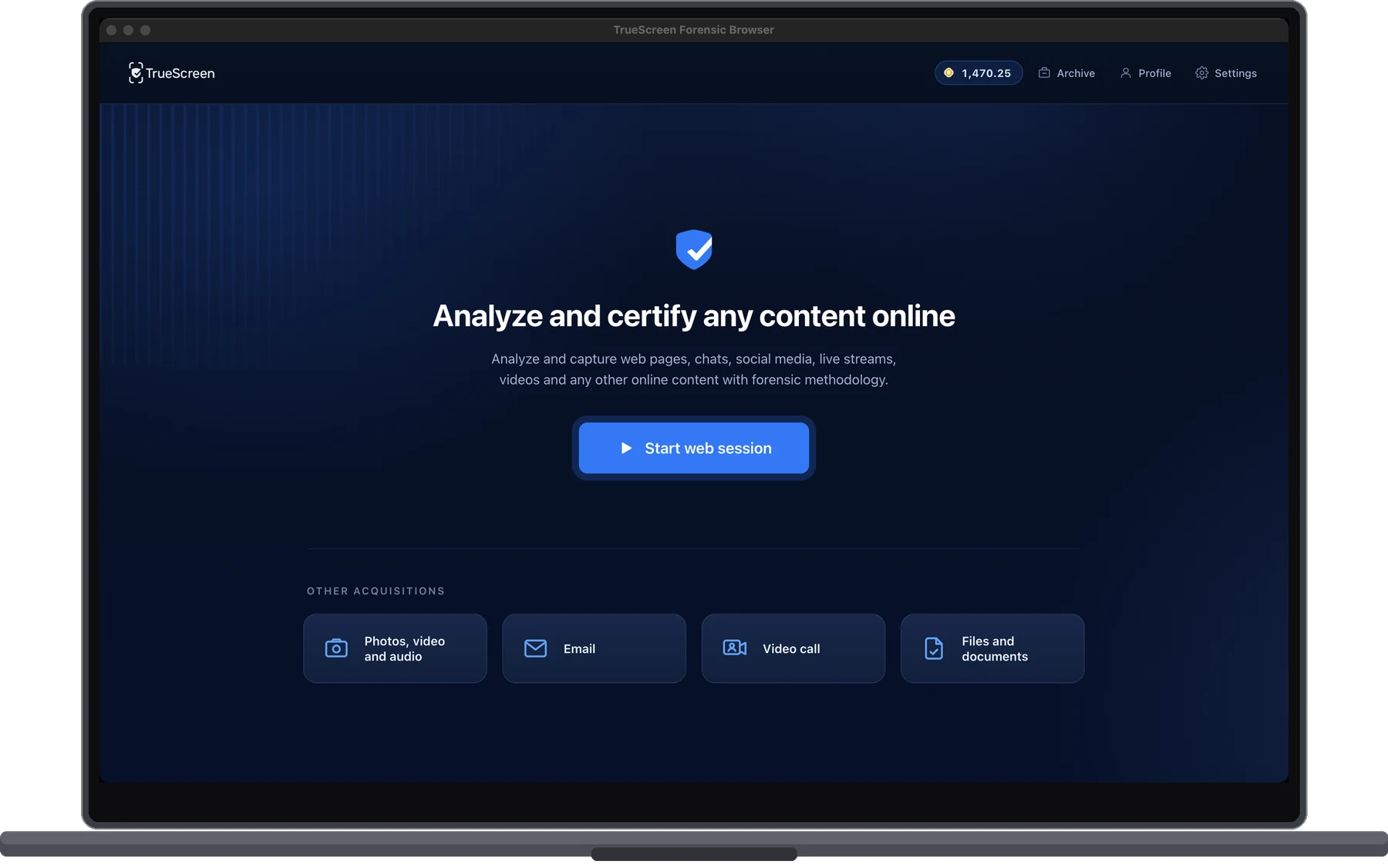
Evidence built to survive cross-examination
What was on screen, when, from where, and untouched since. Captured in a controlled environment and sealed the moment the session closes, never reconstructed afterwards.
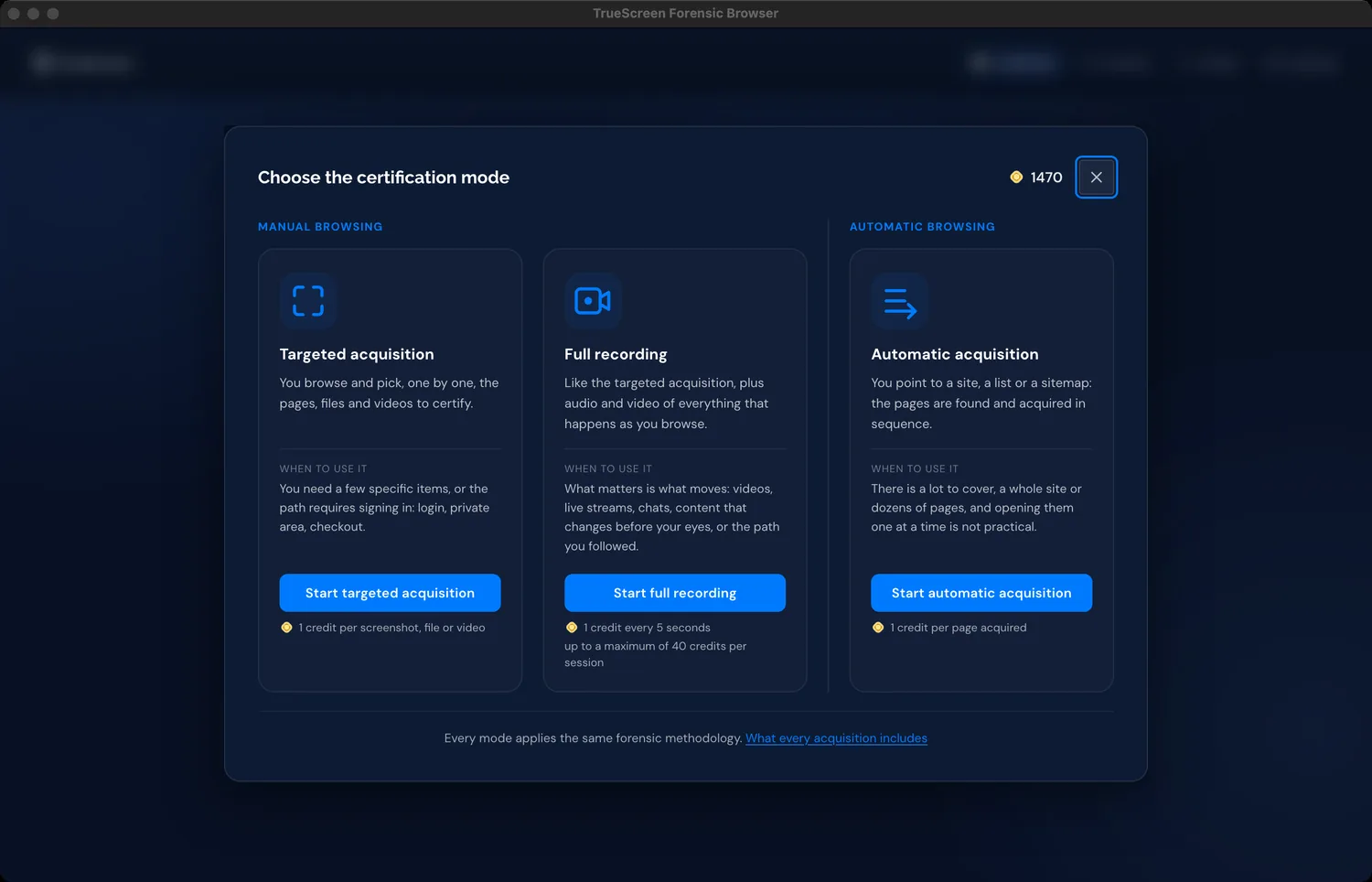
One page, a whole session, or an entire site
Targeted capture keeps the package lean: you decide what becomes evidence, shot by shot.
Full recording captures audio and video of the entire session, so nothing has to be rebuilt from memory later.
Automatic acquisition takes a whole site, a list of addresses or a sitemap: the pages are found and captured one after another, without opening them by hand.
Prove what a page showed in another country
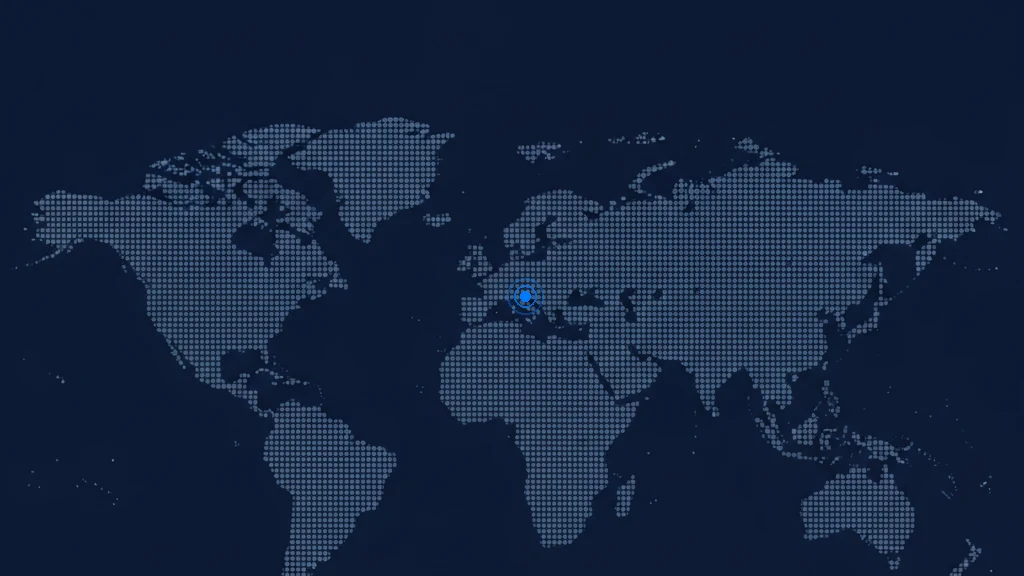
A page is served differently depending on where you are. The session exits in the country you choose, and that point of observation is verified and written into the record.
Page snapshots
Rendered screenshot, live DOM source and a full MHTML archive with the page assets. In automatic mode the certified image is the whole page, not only the visible part.
Continuous video and audio
Session video at 20 fps, with audio taken from the browser process, not the microphone.
Certified downloads
Files and videos fetched from the page, hashed with SHA-256 and SHA-512, bound to the chain.
All network traffic
Full HTTP archive (HAR) with request and response headers. Raw packet capture (PCAP) is switched on from the settings, and caps the session at eight minutes.
Proved time
Dual timestamps checked against multiple NTP servers, with clock drift measured and recorded.
Hardened environment
DevTools disabled, code injection blocked, debugging flags refused, app files hashed at startup.
Tamper-evident chain
Each step hashed as sha256(previous | step | timestamp | data), so any alteration breaks the chain.
Network transparency
VPN, proxy and Tor exit detection, TLS interception checks and certificate pinning, in the audit log.
Virtual machine detection
Virtualised environments identified and recorded in the session metadata.
Geo-routed capture
Exit points in 80 countries, with the resulting IP and geolocation verified.
Live source analysis
The rendered DOM hashed next to the HTML fetched independently from the server.
Single PDF document
Every automatic acquisition also produces one PDF with all the pages in order, delivered on its own and listed in the report with its own hash.
Not everything worth proving happens on a web page
The same seal reaches what a browser cannot. It all starts from the same home screen and ends in the same certified package.
Computer screen
Everything that happens on screen, inside and outside the browser, with the sound of the machine, for up to twenty minutes.
A patented method: add the TrueScreen address to the recipients and the message is certified as it travelled. On a TrueScreen workspace.
Video calls
A TrueScreen bot joins the call on Zoom, Google Meet or Teams, records it and certifies it when the meeting ends. On a TrueScreen workspace.
Local files
Photos, video, audio and documents opened from disk: read for their origin, fingerprinted and certified without leaving the app.
Know what you are looking at
Open a file before you act on it: the origin records it carries, what it really is under the name it was given, and the fingerprint of its bytes. Captured files and local ones alike.
Find out where the content came from
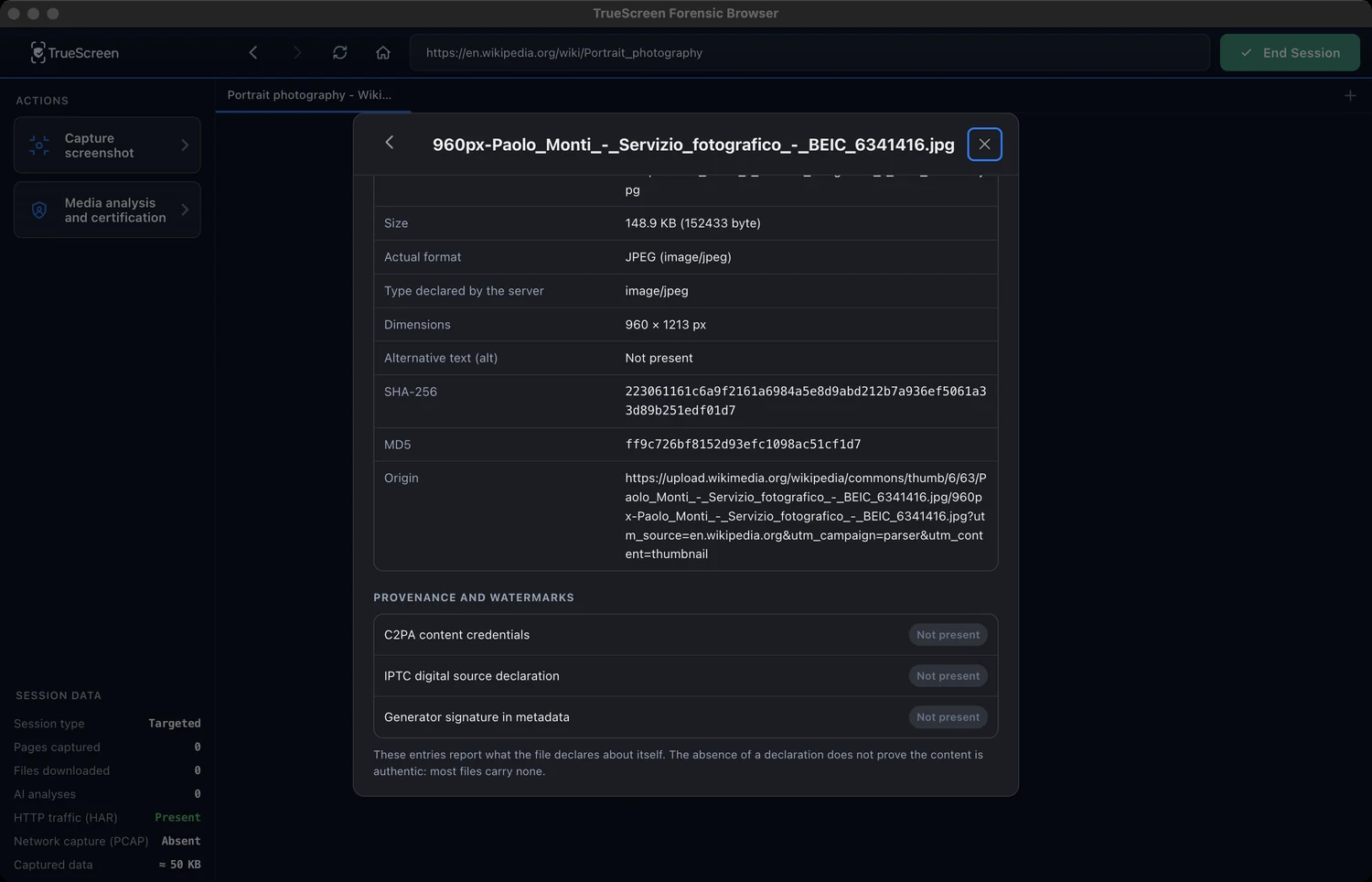
What the file records about its own origin: C2PA content credentials, the IPTC digital source field and the generator tags in EXIF and XMP, reported exactly as found or as absent.
Scoring for AI generation is being completed on TrueScreen infrastructure and is not active in the app yet.
Media inventory
Media from the DOM and network traffic, with real size, MIME type and dimensions.
Fingerprints on inspection
SHA-256 and MD5 on the fetched bytes, next to the source URL.
Declared format vs real format
Format read from the file header, compared with the declared Content-Type.
C2PA content credentials
The signed C2PA manifest and its assertions, when present.
IPTC digital source
The IPTC digitalSourceType field: captured, composite or trained-algorithmic.
Generator signatures
Generator and software tags in EXIF, XMP and container metadata.
Stated limits
Binary documents are marked not applicable, never as matching.
Separate from the evidence
Inspection sits outside the acquisition and changes nothing.
Files from your device
Photos, video, audio and documents opened from disk, not only what the session captured.
Certify what you inspect
Any analysed file can be pulled into the package and sealed with the session.
A report you can hand over without explaining it
Evidence is only worth what someone else can verify alone. A court or a regulator checks every claim in the report without taking your word for anything.
One technical report, certified end to end
One technical report holds it all: hashes, times, network data and the point of observation. It carries a qualified seal, so it goes to a court or a counterpart exactly as it is.
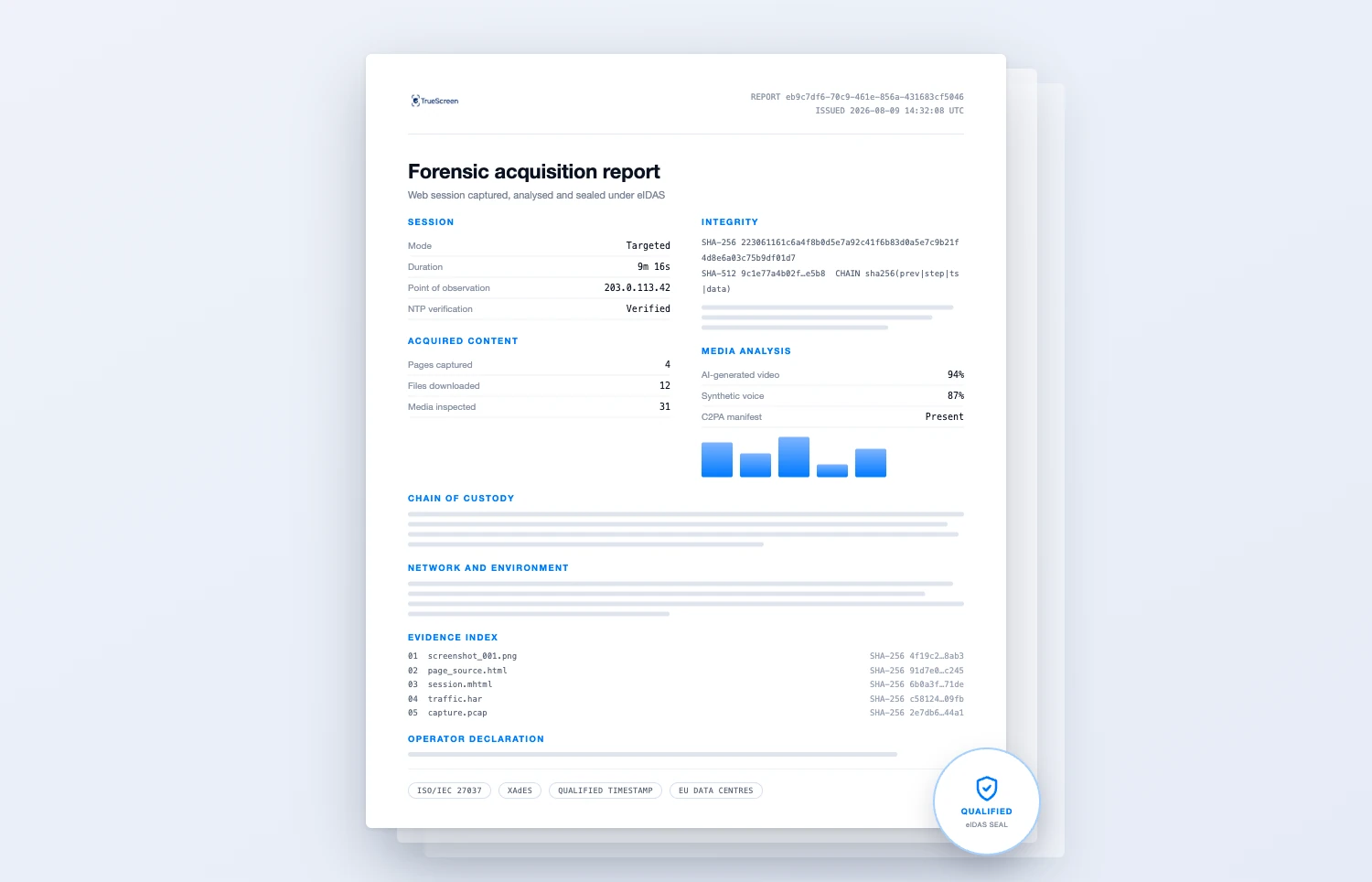
Sealed, stored, and ready to send
Stored on European infrastructure. You get a shareable identifier, and the archive stays retrievable the moment anyone asks.
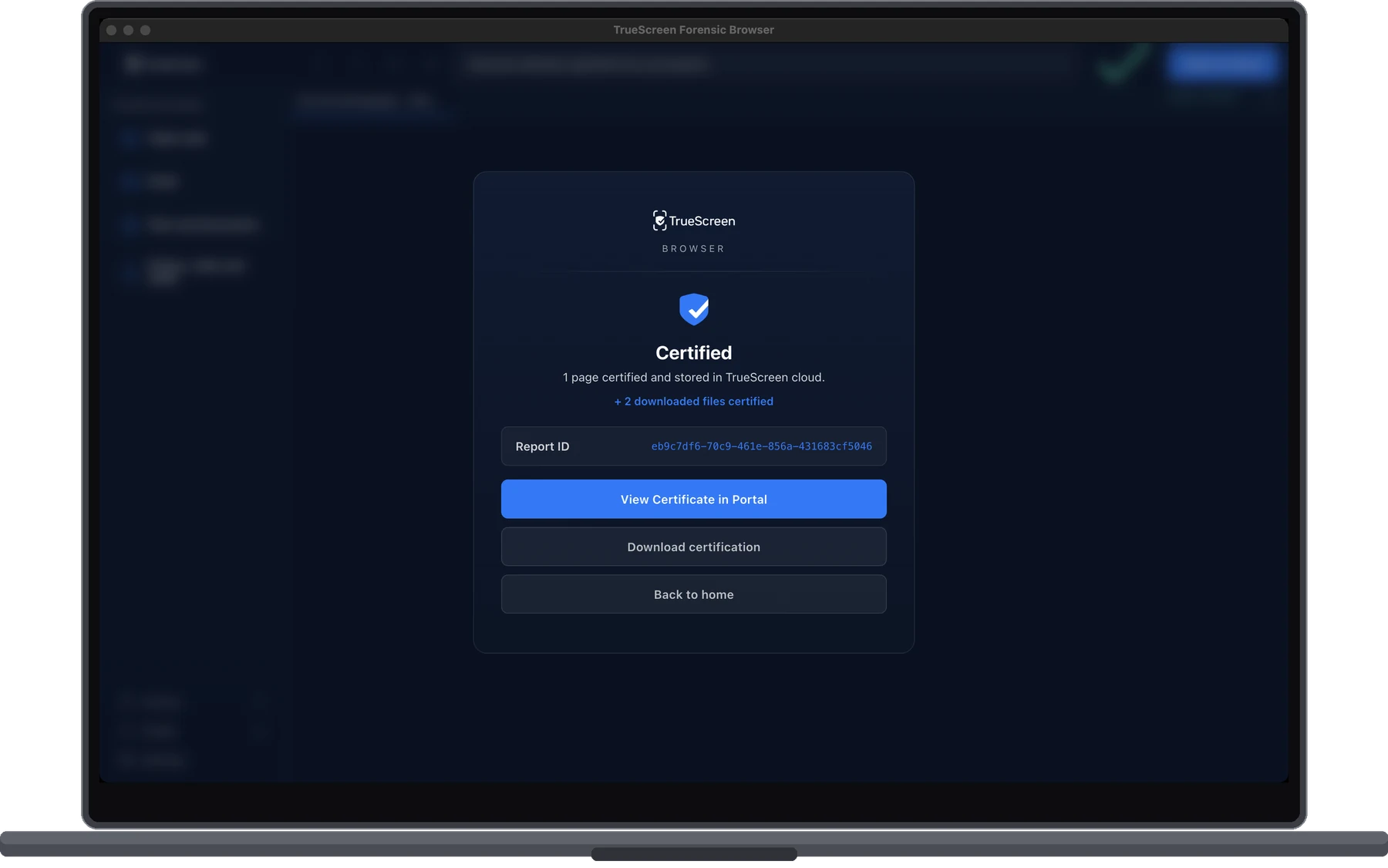
Qualified seal
XAdES seal and qualified timestamp from a QTSP under eIDAS, binding the JSON record and the PDF.
Certified report
A PDF stating what was captured, when, from where, by whom and with which hashes, ready to file. After an automatic acquisition it also states how many pages were taken, and which.
Complete archive
Screenshots, page sources, MHTML, files, media and logs, exactly as collected, with the single PDF document alongside them.
Recomputable chain
The chain and its formula ship inside the package, verifiable without our software.
Report identifier
A shareable identifier per certification, with the package retrievable from the TrueScreen cloud.
Audit trail
Every action logged in order, from the operator declaration to the final seal.
EU data residency
Packages stored on European cloud infrastructure, under GDPR.
Forensic method
Acquisition, identification and preservation following ISO/IEC 27037.
What professionals use it for
Lawyers, investigators, journalists, brand protection, HR and compliance teams use it to get there first.

01
IP and brand protection
Capture counterfeit listings and misuse of your brand assets before infringers take them down.

02
Defamation and harassment
Preserve defamatory posts, threats and cyberbullying from any website or social platform.
03
Social media
Certify posts, comments, profiles and stories exactly as the platform served them, before they are edited or deleted.

04
Chat and messaging
Capture a conversation from its web client, message by message, with the timestamps and the account it was read from.
05
Litigation and disputes
Certified web evidence for contract disputes and regulatory investigations, with full chain of custody.

06
Fraud investigations
Document fraudulent sites, phishing pages and scam listings with verified timestamps.
07
Where a file came from
Read what a photo or a video declares about its own origin, C2PA credentials included, before you act on it.

08
Journalism and fact-checking
Preserve a source and check its media before publication, so the story holds when it is challenged afterwards.
09
Insurance claims
Capture listings, damage reports and third-party statements as certified evidence on a claim.
10
Content that will not last
Download and certify a social video before it is deleted, with its own hash and timestamp.

11
Certified downloads
Preserve a document, invoice or report with proof of its source and the moment of capture.

12
A whole site at once
Preserve a site, a list of addresses or a sitemap in a single session, page by page, when opening them one by one is not an option.

13
What happens on your screen
Record a desktop application, a remote session or anything else the browser cannot reach, and certify it like any other acquisition.
Scroll to move through the cases →
Frequently Asked Questions
What professionals ask before their first session.
Can it tell me if a video is a deepfake or an image was made by AI?
Does analysing a file change the evidence?
Why should I use Forensic Browser instead of a regular screenshot?
Will this evidence be accepted in court?
Do I need technical expertise to use it?
How is it different from a browser extension?
What do I receive after a certification session?
Can it capture an entire site instead of page by page?
Can it certify something that is not a web page?
Which languages does the app work in?
Stop losing evidence.
Join 20,000+ professionals who turn volatile web content into certified evidence with full legal value.


