PAdES, CAdES, XAdES: digital signature formats compared and how to choose
Every company and professional now signs and exchanges digital documents: contracts, invoices, reports, agreements. The friction shows up the moment you have to decide how to sign them. Three advanced electronic signature formats are recognized by ETSI, and this is exactly where PAdES, CAdES, and XAdES come in. All three carry the same legal weight under the eIDAS Regulation, yet they produce different files, open with different tools, and suit different documents. Pick the wrong one and you end up with an XML invoice a system-to-system channel rejects, a .p7m file the recipient cannot open, or a signature that becomes impossible to verify a few years down the line.
So the practical question is really three questions: which format do I use for which document, how do I verify a signature that has already been applied, and how do I keep that signature valid over time. The short answer: the choice depends on the file type and the recipient. PAdES for PDFs anyone can read, CAdES for any file and for the widely used .p7m envelopes, XAdES for XML and e-invoicing. Signature longevity, on the other hand, is governed by LTV levels: the B-LT and B-LTA variants. This guide gives you the comparison tables, the verification procedure, and the angle almost no one addresses: what happens before the signature, when the data is first captured.
What are PAdES, CAdES, and XAdES: the three ETSI advanced electronic signature formats
PAdES, CAdES, and XAdES are the three advanced electronic signature formats defined by the ETSI standards. They differ in the kind of document they sign and in the file they produce, but they all hold the same legal value across the European Union.
PAdES, CAdES, and XAdES are the three advanced electronic signature formats defined by ETSI. They differ in what they sign: PAdES (ETSI EN 319 142) signs PDF documents by embedding the signature inside the file; CAdES (ETSI EN 319 122) signs any type of file by wrapping it in a cryptographic envelope with the .p7m extension; XAdES (ETSI EN 319 132) signs XML documents and is the format used for e-invoicing. All three are implementations of advanced electronic signature, legally valid under the eIDAS Regulation (EU 910/2014), which recognizes them explicitly. The difference is not the legal force but the output format and the way the signature is applied to the content.
PAdES: the signature for PDF documents
PAdES (PDF Advanced Electronic Signatures) is the format built for PDFs. The signature is embedded inside the document itself, which stays an ordinary PDF that opens in any reader, Acrobat Reader included. The extension does not change: the file remains a .pdf. That is exactly why people often ask which signature type leaves the document extension untouched. The answer is PAdES.
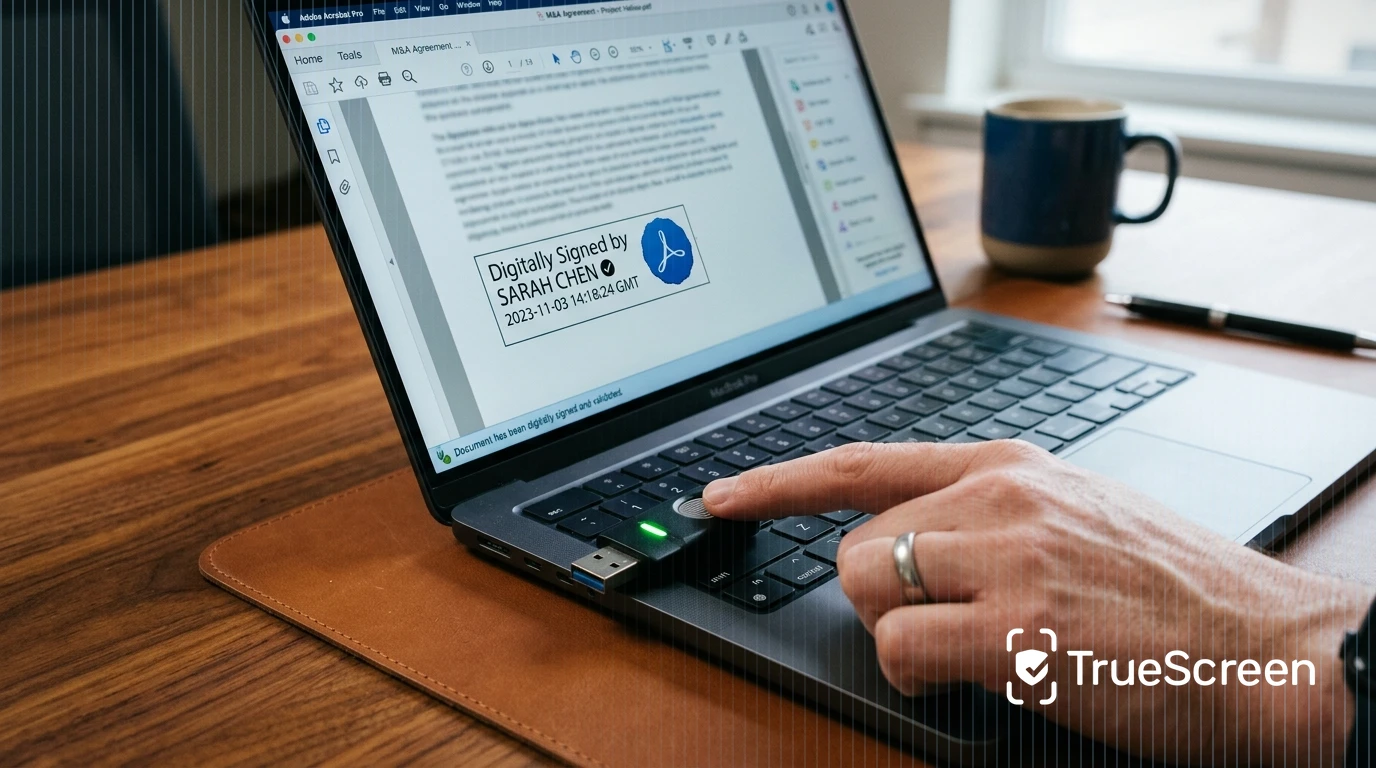
Readability is the main advantage. Whoever receives a PAdES-signed PDF opens it and reads it without installing anything, and sees the signature directly in the reader's signature panel. This makes PAdES the natural pick for contracts, letters, and documents headed to clients or to people who do not work with signing software every day. The signature can also be made graphically visible on the page, with a box showing the signer and the date.
CAdES: the signature for any file (the .p7m format)
CAdES (CMS Advanced Electronic Signatures) builds on the CMS cryptographic standard and signs any file type: a PDF, an image, a spreadsheet, an executable. The result is a cryptographic envelope that holds the original document plus the signature, with the .p7m extension appended to the file name (for example contract.pdf.p7m).
Here is the trade-off many people run into: a .p7m file does not open in a standard PDF reader. You need signing software or a verifier to extract the original document from the envelope. In exchange, CAdES handles file types that PAdES cannot touch, and it supports multiple signatures on a single file, so it is widely used in public-sector and procurement contexts across the EU, where tenders frequently call for CAdES and where co-signing is routine. If you have ever wondered how to open a .p7m file, the answer lies in the recognized verifiers we cover further down.
XAdES: the signature for XML documents and e-invoicing
XAdES (XML Advanced Electronic Signatures) signs documents in XML format. It is the native format for system-to-system flows and, above all, for e-invoicing, which runs on XML in many EU countries. The signature can be enclosed inside the XML file itself or kept in a separate file.
This is not a format meant to be read by a person. It serves the automated exchange between management systems, portals, and platforms. For anyone building integrations or running an invoicing pipeline, XAdES is not an option but a technical requirement imposed by the transmission channel. Get the format wrong here and the document simply will not move through the system.
PAdES vs CAdES vs XAdES: which format for which document
The format choice comes down to two things: the file type you need to sign and who has to read it. PAdES signs PDFs only and keeps them readable for everyone, CAdES signs any file but produces a .p7m that needs a verifier, XAdES signs XML only and is the format behind e-invoicing.
The format choice depends on the file type and the recipient. PAdES signs PDF documents only and keeps them readable in any reader (the .pdf extension stays unchanged), which suits contracts and documents sent to clients. CAdES signs any file type by creating a .p7m envelope, and is common in public-sector and procurement workflows for co-signing across the EU. XAdES signs XML documents and is the format behind e-invoicing in many EU countries. All three carry the same legal value under eIDAS: the difference is the output format and what each can sign, not the legal weight. The practical rule: PAdES when the document must stay readable, CAdES when the file is not a PDF or several signatures are required, XAdES when you work with XML.
| Format | Technical base | File extension | What it signs | Reading / software | Visible signature | Multi-signature | Typical use case |
|---|---|---|---|---|---|---|---|
| PAdES | PDF (ISO 32000) | .pdf (unchanged) | PDF documents only | Any PDF reader, Acrobat Reader | Yes, optional | Yes | Contracts, client-facing documents |
| CAdES | CMS / PKCS#7 | .p7m | Any file | Signing software or verifier | No | Yes | Public sector, tenders, non-PDF files |
| XAdES | XML | .xml (or detached signature file) | XML documents only | Management systems, XML verifiers | No | Yes | E-invoicing, system-to-system flows |
In practice: if you send a contract to a client, PAdES; if you join a tender that asks for CAdES across several files, .p7m; if you generate invoices, XAdES toward the receiving channel. The recurring "PAdES or CAdES" question for formal documents depends on what the recipient asks for: many offices accept both, others mandate the .p7m envelope. Because the legal force is identical, this is an interoperability decision, not a legal one.
The baseline levels B-B, B-T, B-LT, B-LTA and long-term validity (LTV)
Each format exists in four baseline variants that mark a rising degree of signature persistence over time. B-B holds the signature alone, B-T adds a timestamp, B-LT embeds all the validation material, and B-LTA adds periodic timestamps so the signature can outlast ten years.
The B-B, B-T, B-LT, and B-LTA variants defined by ETSI mark a rising degree of signature validity persistence over time. B-B contains the basic signed and unsigned attributes of the signature. B-T adds a timestamp proving the signature existed at a given date and time. B-LT (Long Term) embeds all the validation material into the document, such as certificates and revocation data, so verification stays possible in the future. B-LTA adds periodic timestamps to guarantee long-term validation and integrity. The problem these levels solve is concrete: a signing certificate usually lasts around three years, yet a document may have to stay valid for more than ten. Without LTV (Long Term Validation) levels the signature becomes unverifiable once the certificate expires. Source: ETSI EN 319 142-1.
| Level | What it adds | Long-term validity | When to use it |
|---|---|---|---|
| B-B | Basic signed and unsigned attributes | Tied to the certificate's validity | Simple signature, immediate verification |
| B-T | A timestamp proving the signature existed | Establishes a trusted signing date | When you must prove when something was signed |
| B-LT | Embeds certificates and revocation data | Verifiable even after the certificate expires | Documents kept for the medium term |
| B-LTA | Additional periodic timestamps | Long-term validation, beyond 10 years | Long-term archiving and retention |
The timestamp is the element that separates B-B from the higher levels. For documents that have to survive a dispute or a ten-year retention obligation, B-LTA is the correct choice: it is the level that shields you from a signature that has expired and can no longer be validated. It applies to all three formats, so you can speak of PAdES B-LTA, CAdES B-LTA, and XAdES B-LTA.
How to verify an existing digital signature
To verify a digital signature you load the file into a verifier or a dedicated piece of software, which checks whether the certificate is valid and whether the document has been altered. The tool changes with the format: Acrobat Reader for PAdES PDFs, signing software for .p7m files, an online verifier for a quick check without installing anything.
To verify a digital signature you load the file (.pdf, .p7m, or .xml) into a verifier or a signing application. The check confirms three things: that the signer's certificate is neither expired nor revoked, that the signer is who they claim to be, and that the document has not been modified after signing. For PAdES-signed PDFs it is enough to open the file in Acrobat Reader and look at the Signatures panel. For .p7m files you need signing software or a verifier that extracts the content from the envelope. For an independent, free check with no registration, the European Commission's DSS (Digital Signature Service) validates all ETSI formats online. Source: European Commission DSS.
The steps are always the same. Open the tool that matches the format. Load the file. Read the outcome, which tells you who signed, whether the certificate is still valid, when it was signed, and whether the document has been touched since. If you want a quick online signature check, web verifiers work fine for an immediate look; for sensitive documents, an independent tool such as the European Commission DSS returns a more detailed report and lets you confirm the result without trusting the sender's own software. One practical note for anyone on a Mac: .p7m files open the same way, through signing software or an online verifier, not through the system preview.
Where does a Data Authenticity Platform fit into the signature workflow?
PAdES, CAdES, and XAdES certify who signed a document and that it was not changed after signing. They say nothing about how that content came to exist: a photo, a screenshot, or a video can already be altered before it is ever signed. TrueScreen is the Data Authenticity Platform (not a deepfake detection tool) that steps in upstream, certifying the authenticity of the data at the exact moment of capture through a forensic methodology that records context, integrity, and the source's timestamp. Capture relies on authenticated signing (OTP via SMS or video biometric verification), a qualified timestamp compliant with eIDAS, and a digital seal that makes the document tamper-evident and independently verifiable. The qualified timestamp and electronic seal are delivered by a third-party QTSP integrated into TrueScreen via API. The resulting authenticity report can then be produced and signed in standard formats like PAdES or CAdES. Organizations handling digitization and digital evidence use TrueScreen so that what they sign is authentic at the source, not merely intact after the fact.
Certified capture happens from the TrueScreen App, Web Portal, and Forensic Browser, which acquires web pages and video with a forensic methodology. For teams building integrations, the certified digital signing workflow and the API and SDK let you place the seal directly inside the signing flow, so source certification and the signature format live in the same process. This is how content certification becomes part of a wider chain: Digital Provenance.
A concrete example: a digitization lead has to archive screenshots of online transactions for more than ten years. With TrueScreen those screenshots are captured with legal value at the source, and the report is then signed in PAdES B-LTA. That gives them two things at once: authenticity of the data from the moment of capture, and a signature that stays verifiable for the whole retention period.
FAQ: PAdES, CAdES, and XAdES
What is the difference between PAdES, CAdES, and XAdES?
What are the three digital signature formats?
Does a PAdES signature have legal value?
What is a drawback of CAdES compared with PAdES?
What is LTV (Long Term Validation)?
Which signature format is used for e-invoicing?

TrueScreen editorial team
Published on · Updated on
This section is edited by the TrueScreen editorial team, which brings together expertise in digital forensics, the law of digital evidence and regulatory compliance. Every article is checked against primary sources: legislation, published rulings, technical standards and official documentation, always cited in the text.


