How to Certify a Video with Legal Value

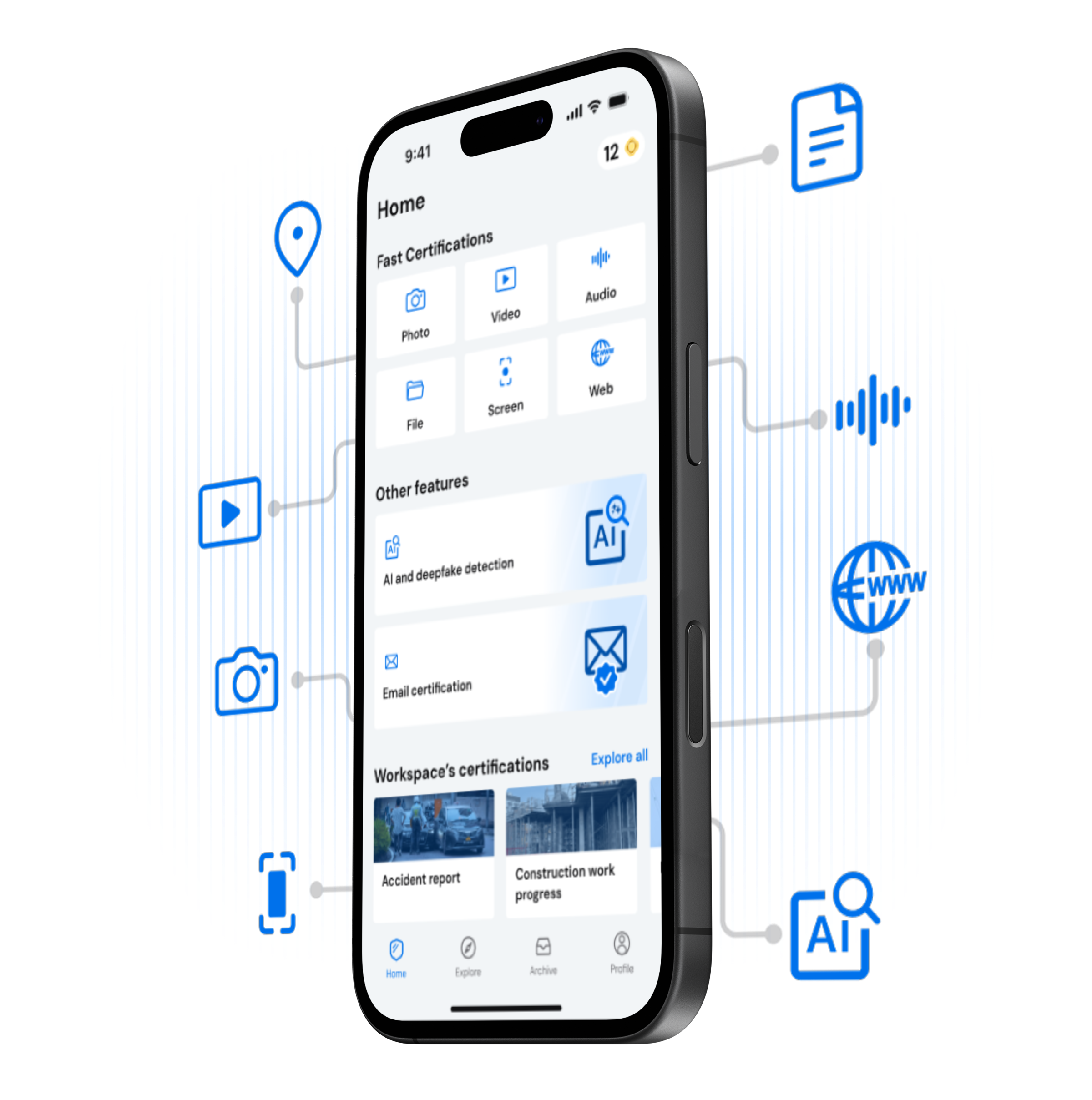
Certifying a video takes less than a minute. Open the TrueScreen app, record the video, and receive a forensic report with digital signature, certified timestamp, and GPS coordinates. Court-ready video authentication for legal proceedings, insurance documentation, or workplace compliance: record, stop, certify.

Step by Step

Certify a Video in Three Steps

1

Open the App

Download TrueScreen for free on iOS or Android. Tap the central button and select “Record video.” Allow access to your location and camera. Chain of custody begins from the first frame.

2

Record the Video

Record the video as you normally would. TrueScreen locks GPS coordinates, device data, and a cryptographic hash from the first frame to the last. After recording, select key frames that will appear as a preview in the forensic report.

3

Get Your Certified Report

Within seconds you receive your forensic report: qualified digital signature, certified timestamp, hash verification, and chain of custody. Your video certification is complete: the recording is now court-admissible digital evidence.

Watch how easy it is to certify a video

Watch the full video certification process. Recording and certifying takes under a minute.

What You Get

Every Certified Video Includes
Forensic Report

A court-ready PDF documenting every detail of the forensic video acquisition per ISO 27037 guidelines. Admissible as digital evidence in civil and criminal proceedings.

Digital Signature

A qualified digital signature under eIDAS (EU 910/2014) seals your certified video. Any alteration to any frame breaks the cryptographic seal and is immediately detectable.

Certified Timestamp

Legally binding date and time from a Qualified Trust Service Provider (RFC 3161). Impossible to backdate or alter.

GPS Coordinates

Certified GPS coordinates prove exactly where the video was recorded. Location data is locked continuously during the recording, eliminating location disputes.

Device Metadata

Model, OS, sensors, and network data captured during the entire recording. A complete device fingerprint that makes the origin of the video verifiable.

Chain of Custody

Every step from the first frame to final certification is logged and cryptographically sealed. An unbroken chain of custody guarantees your video evidence has never been tampered with.

RECORD

Download TrueScreen and Start Certifying Videos

Three taps, less than a minute. TrueScreen, the Data Authenticity Platform, uses a patented forensic process to give your videos full legal value. Just open, record, done.

Download TrueScreen on App Store
Get TrueScreen on Google Play

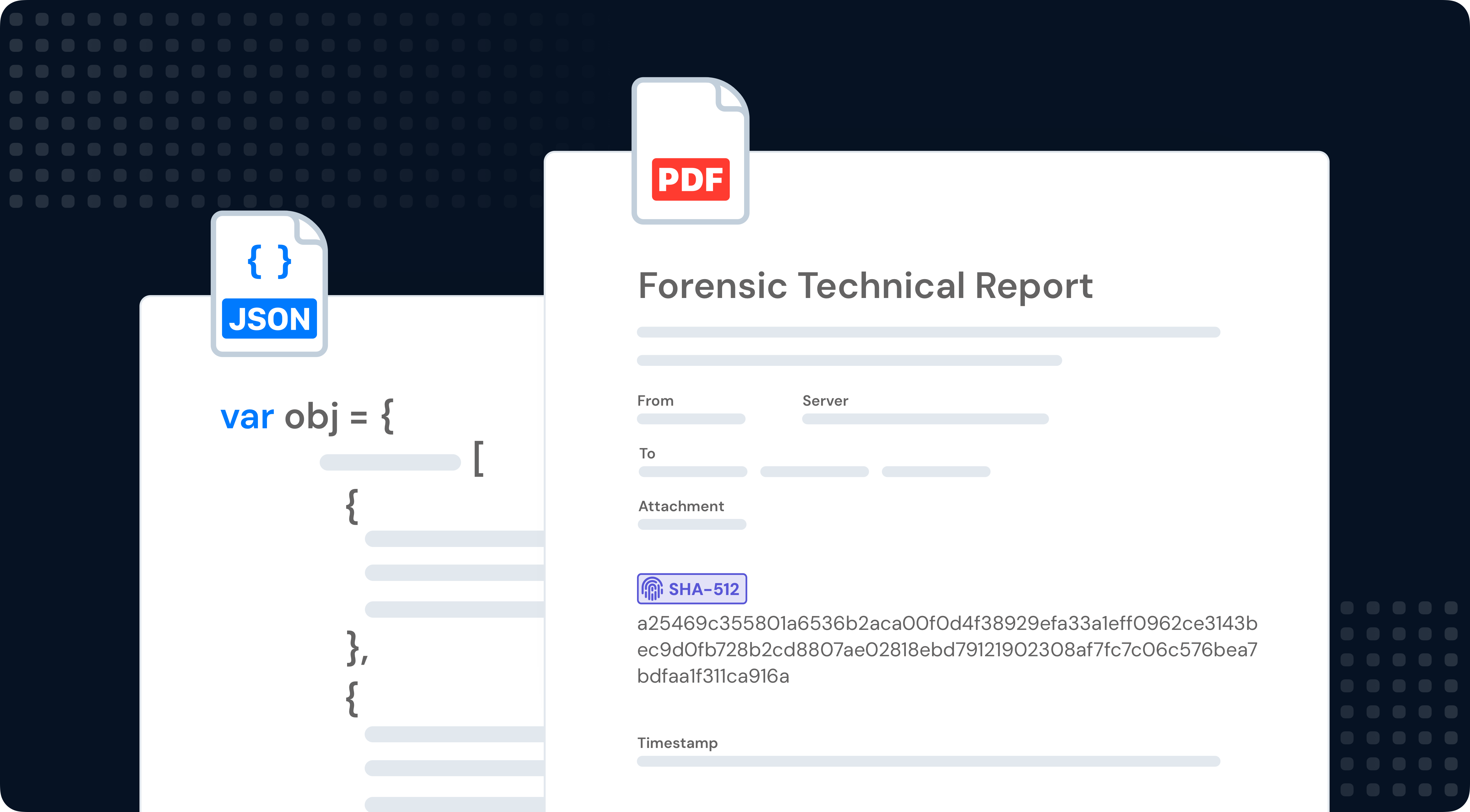
Forensic report

Your Forensic Report, Explained

Every video certification generates a forensic report in PDF: cryptographic hash, digital signature, certified timestamp, GPS, device fingerprint, and chain of custody. Built on ISO 27037, ready to be presented to courts, insurers, and regulators.
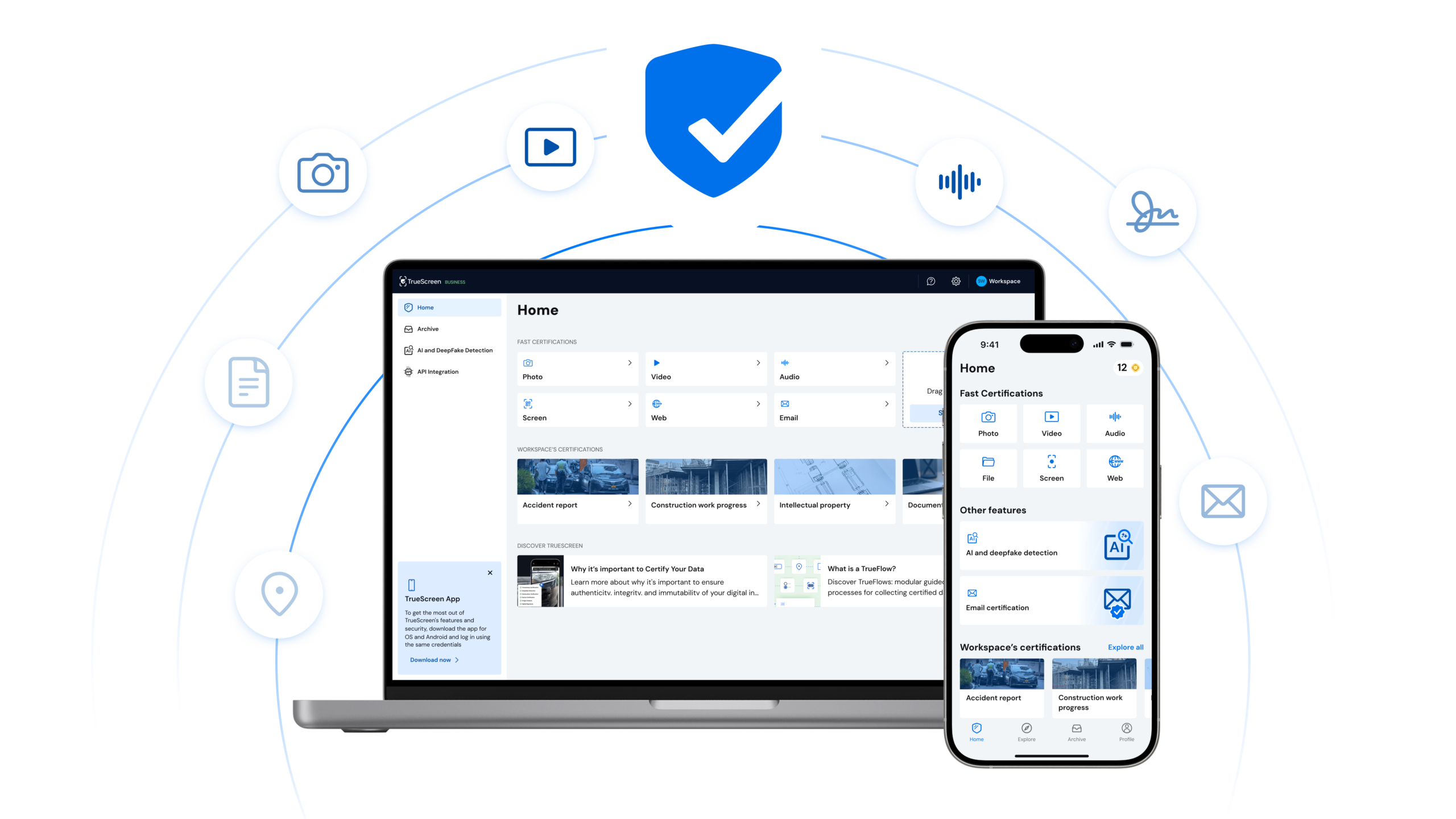
SECURE ARCHIVE

Manage Your Certified Videos

Access all your certifications from one place. View, download, and share certified videos. Manage your team and handle video certification at scale from your browser.

Benefits

Why Certified Videos Win in Court

Indisputable Proof

Each certified video is sealed with a cryptographic hash, digital signature, and certified timestamp (RFC 3161). Any modification to any frame breaks the seal and is immediately detectable.

Trust

Courts, insurers, and regulators accept TrueScreen certificates because the process complies with eIDAS, RFC 3161, and ISO 27037.

Compliance & Security

GDPR, NIS2, SOC 2, end-to-end encryption. Compliant with eIDAS, ISO 27037, DORA, and international cybersecurity frameworks.

Use Cases

Workplace Incidents

Record workplace accidents, safety violations, or harassment incidents with forensic-grade certification. Timestamped, GPS-located, and digitally signed video that holds up in labor disputes.

Dashcam and Security Footage

Certify dashcam recordings and security camera footage at the moment of capture. Certified video with timestamp and GPS removes doubt about when and where the incident was recorded.

Product Defect Documentation

Film defective products, failed deliveries, or manufacturing flaws with certified video. A timestamped, signed recording creates undeniable evidence for warranty claims and product liability cases.

Insurance and Damage Claims

Document property damage, vehicle accidents, or personal injuries with certified video. GPS coordinates and timestamp prove exactly when and where the damage was recorded.

Frequently Asked Questions

Any video recorded through the TrueScreen app: workplace incidents, property conditions, product defects, security events, and more. Each certification includes a forensic report with GPS, digital signature, and certified timestamp.

Yes. Direct recording through the app establishes a complete chain of custody with device metadata, GPS, and anti-tampering controls. Videos recorded outside the app cannot be forensically certified.

Full evidentiary value. A qualified digital signature (eIDAS) and RFC 3161 certified timestamp make the video admissible as evidence in courts across EU member states and eIDAS-compliant jurisdictions.

The app supports recordings of several minutes. Longer recordings produce larger forensic reports, but the certification process and legal value remain identical regardless of duration.

It never expires. The digital signature and certified timestamp permanently seal your video. Your evidence remains admissible indefinitely.

TrueScreen certifies videos recorded directly through the app to guarantee an unbroken chain of custody. For existing files, use the file certification feature from the TrueScreen portal.

Flexible plans for individuals, professionals, and enterprises. Start with a free trial, or contact sales for volume pricing.

Start Certifying Your Videos Now

Thousands of professionals already certify their videos with TrueScreen. Try it free.